
Work Order App for Solo Contractors
Every job you’ve got going, in one list, each with a status. Know what’s booked, what you’re in the middle of, and which estimate went quiet — without a whiteboard in the truck.
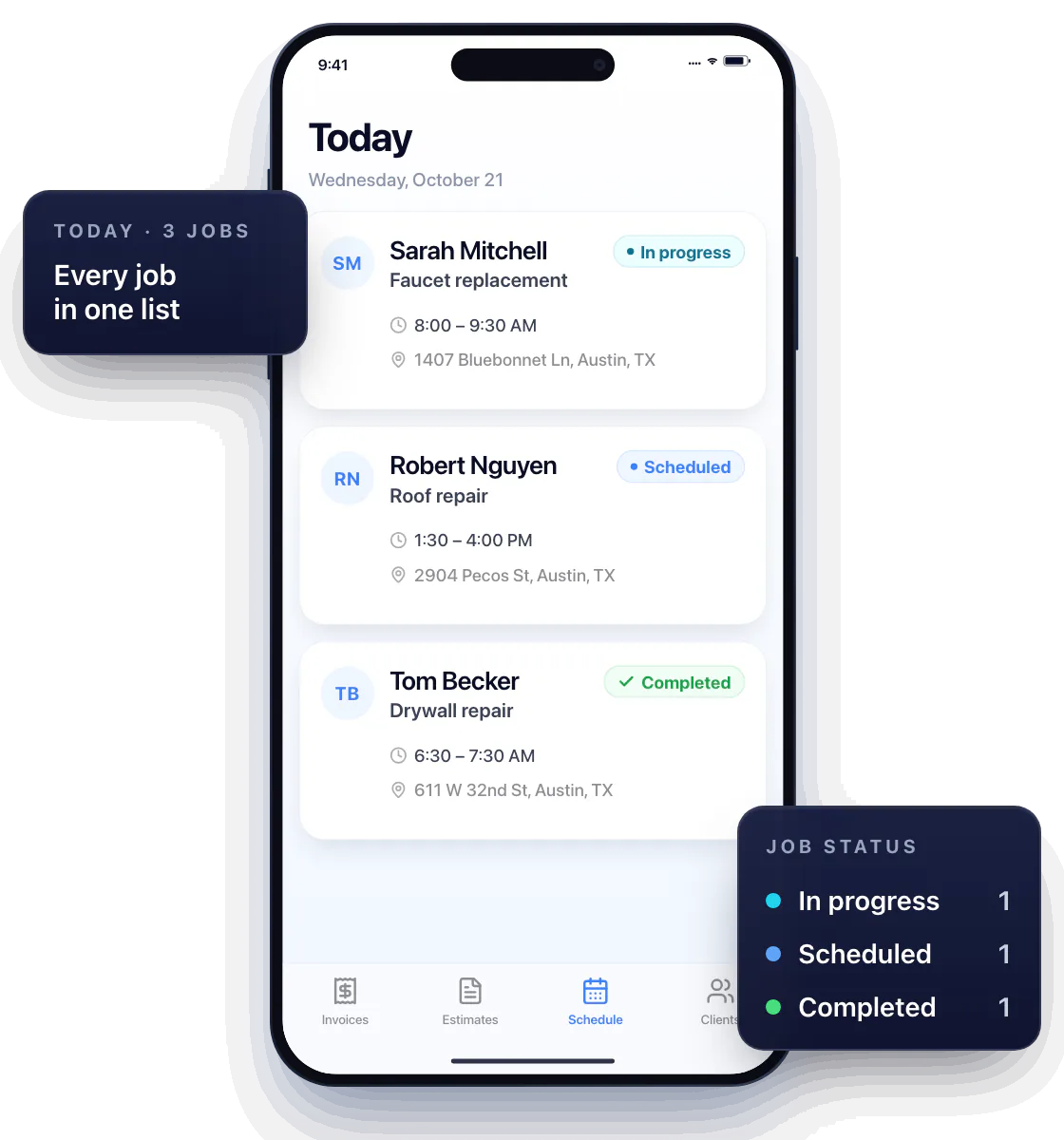
Know what the next job is for
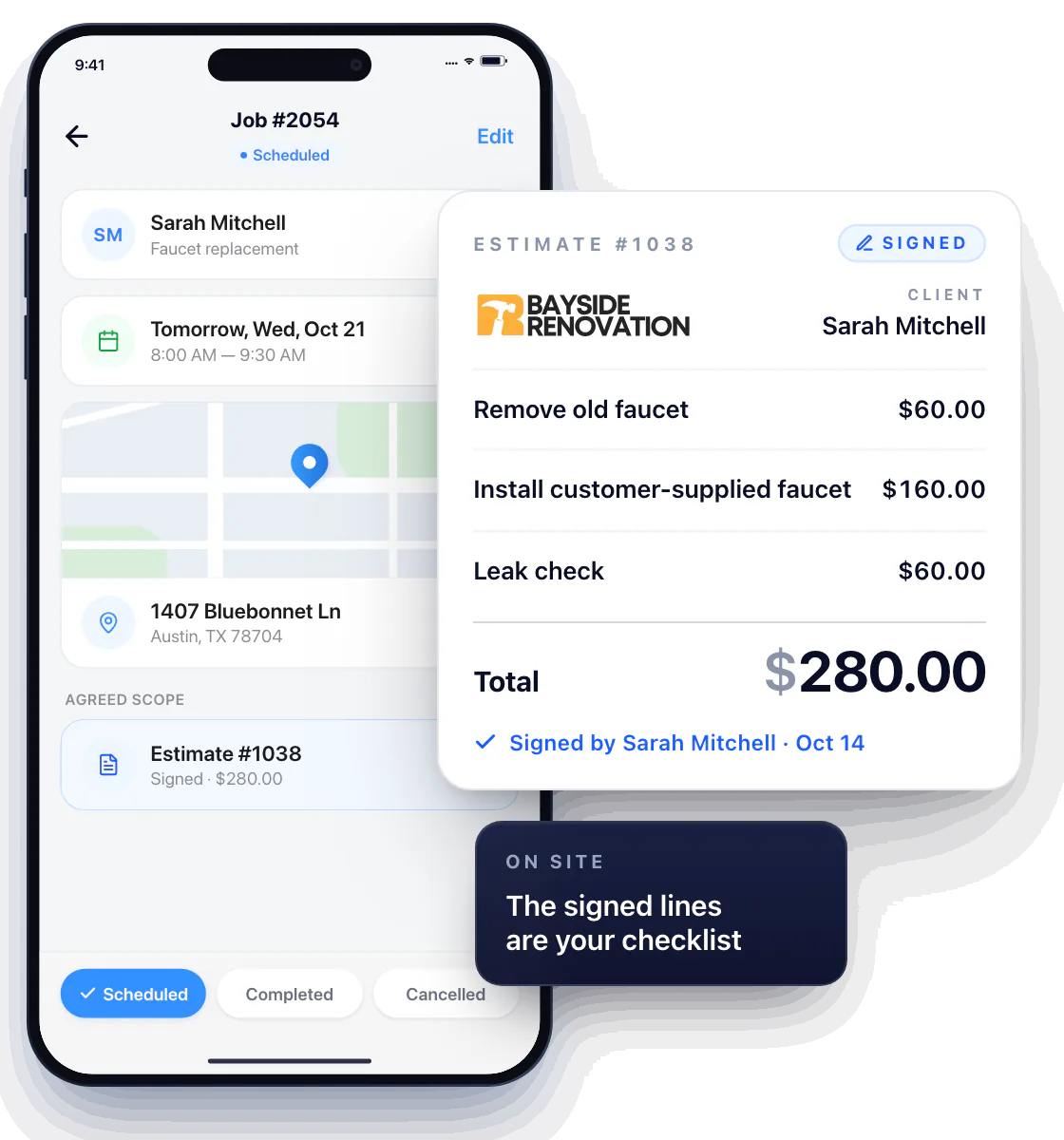
Tap tomorrow’s visit and the agreed scope and price are right there in the signed estimate — not in a text thread from two weeks ago.
The estimate is the work order
“Faucet replacement” means nothing at 7 AM. “Remove old faucet, install customer-supplied faucet, leak check” does. The itemized estimate the customer signed is your checklist on site.
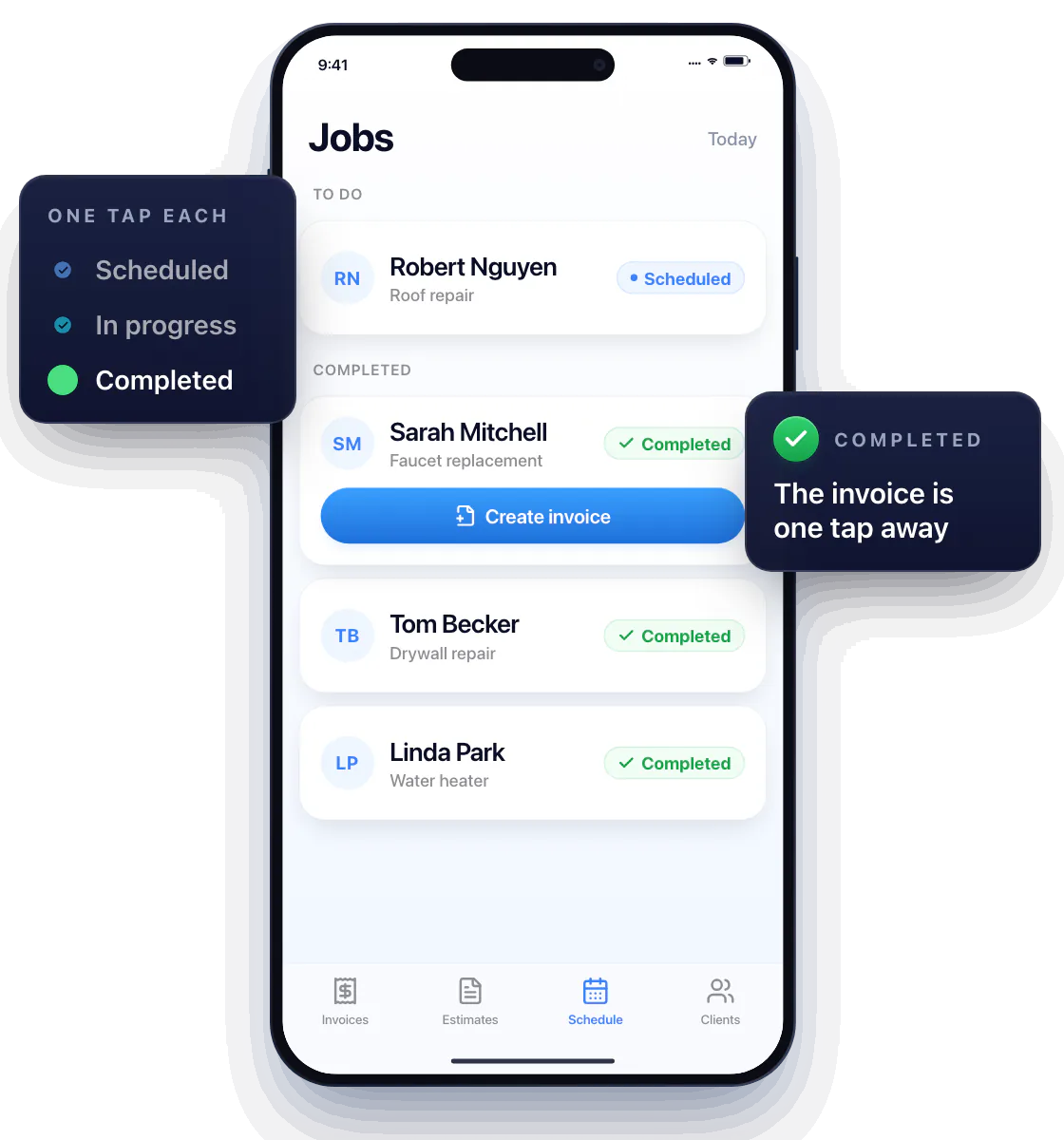
Mark the work as it moves forward
Scheduled → In progress → Completed, one tap each. The list keeps the jobs you still owe someone at the top, and the finished ones out of the way.
Finished a job? Mark it Completed and move on — the invoice is one tap away.
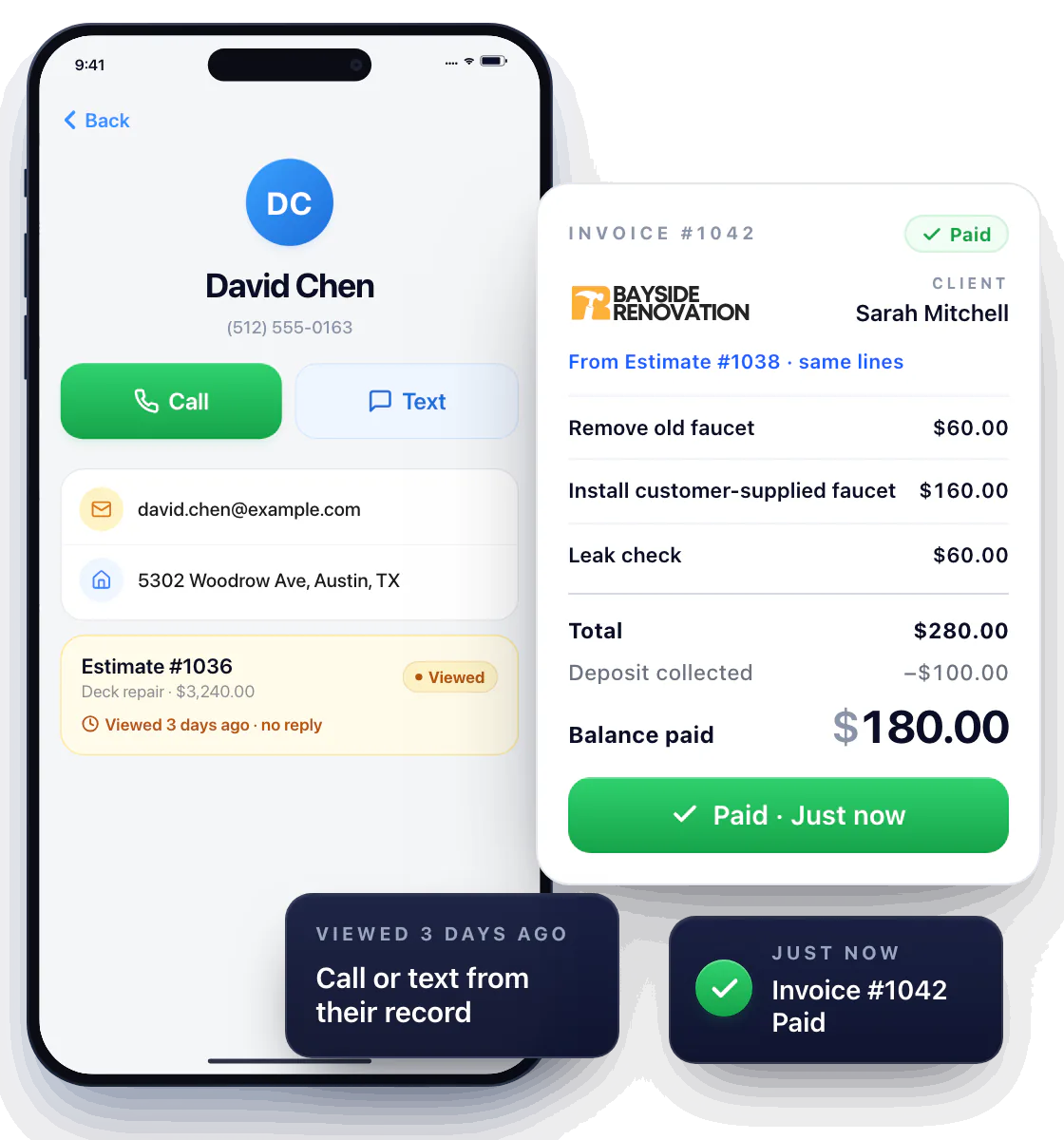
Know who to follow up with today
Every estimate and invoice carries its own status — Sent, Viewed, Signed, Deposit collected, Paid. An estimate stuck at Viewed for three days, an invoice still not Paid: you see it in the status, open the customer, and call or text them from their record before they hire someone else.
From Completed to Paid without retyping
Convert the signed estimate into the invoice — same lines, same prices — and send it with a Pay Now button before you leave the driveway.
Questions about work orders
Is Workly built for solo contractors?
Yes. It tracks the jobs you do yourself. There’s no crew dispatch or employee assignments — and for a one-person business there doesn’t need to be.
How is this different from scheduling?
Scheduling is when you’ll be there. Work orders are where each job stands — Scheduled, In progress, Completed — and where each estimate and invoice stands, from Sent to Paid.
Is a work order the same as an estimate?
In Workly, the signed estimate is the agreed scope, and the job’s status tracks where that work stands. One document, start to finish.