
Job Costing Software for Solo Contractors
The invoice total isn't your profit. Workly puts materials and your own time next to the job price, so you see what's actually left — before you send the quote, and after the job runs long.
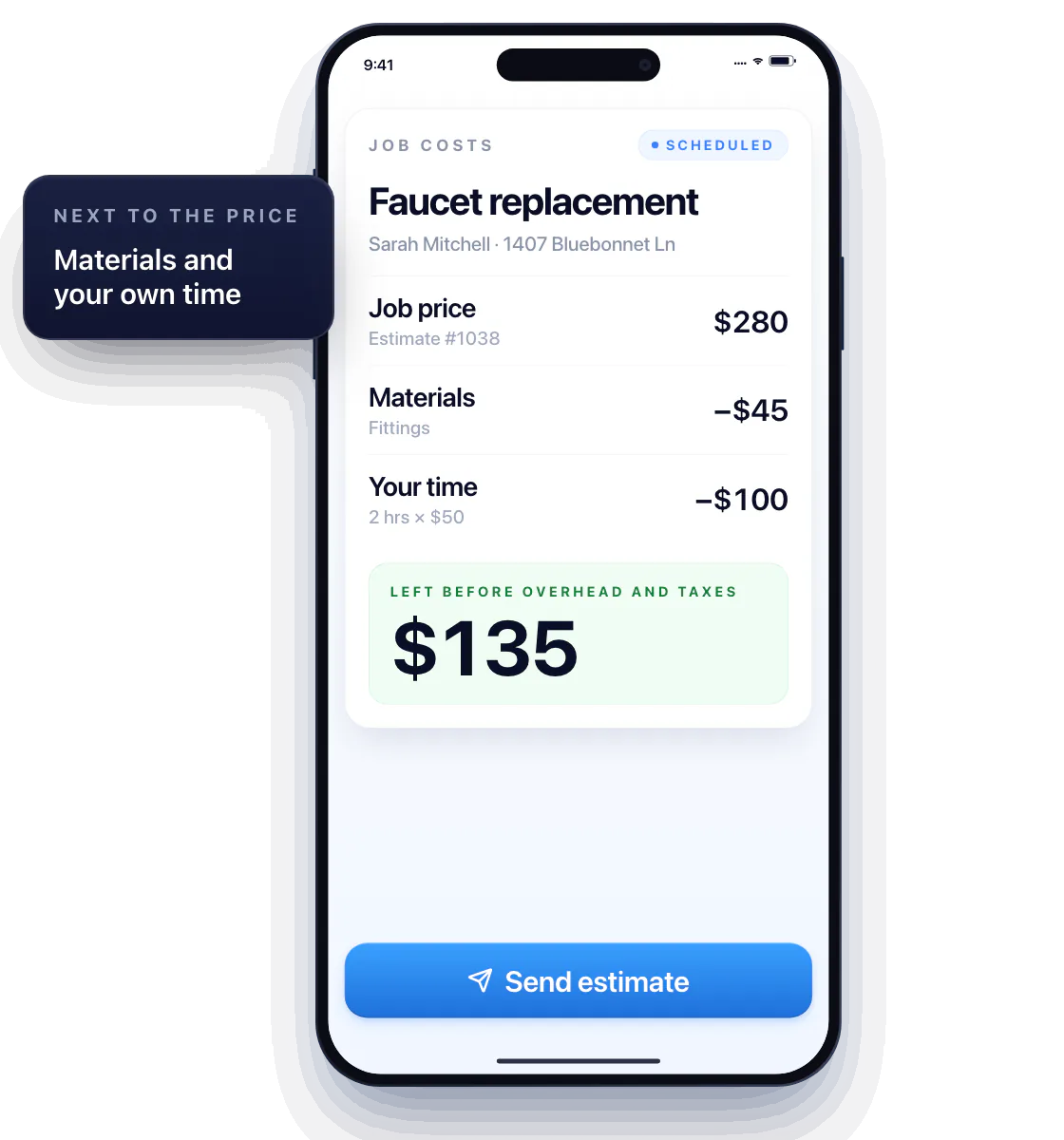
Put the job price in context
Quoting a $280 faucet replacement? Add the $45 in fittings and the two hours of your time, and the job’s real margin shows up next to the price — not at tax time.
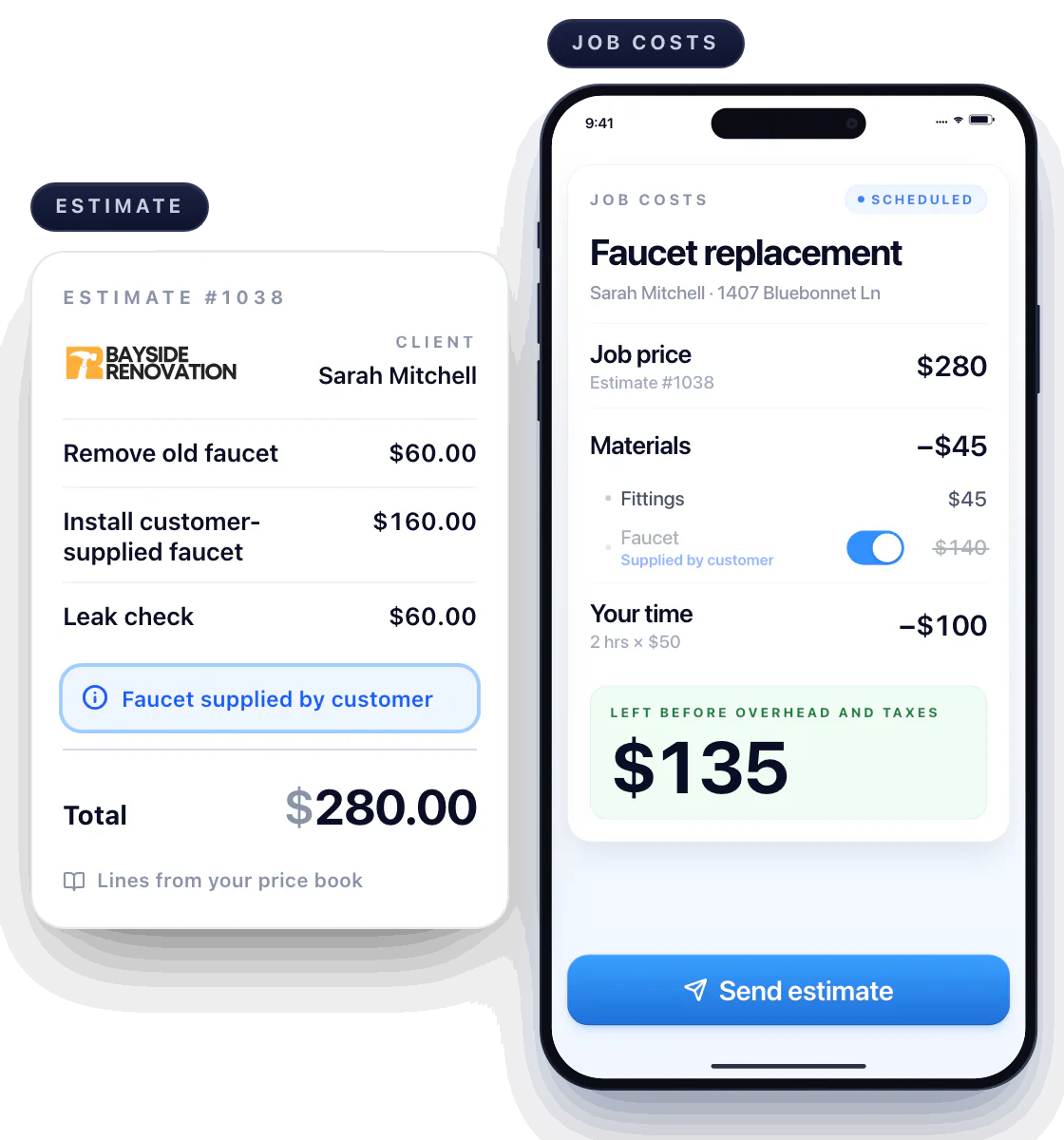
Check the costs against your estimate
Price book items give you the starting price; the costs still belong to this job. Customer supplying the faucet? Note it, and the materials line drops.
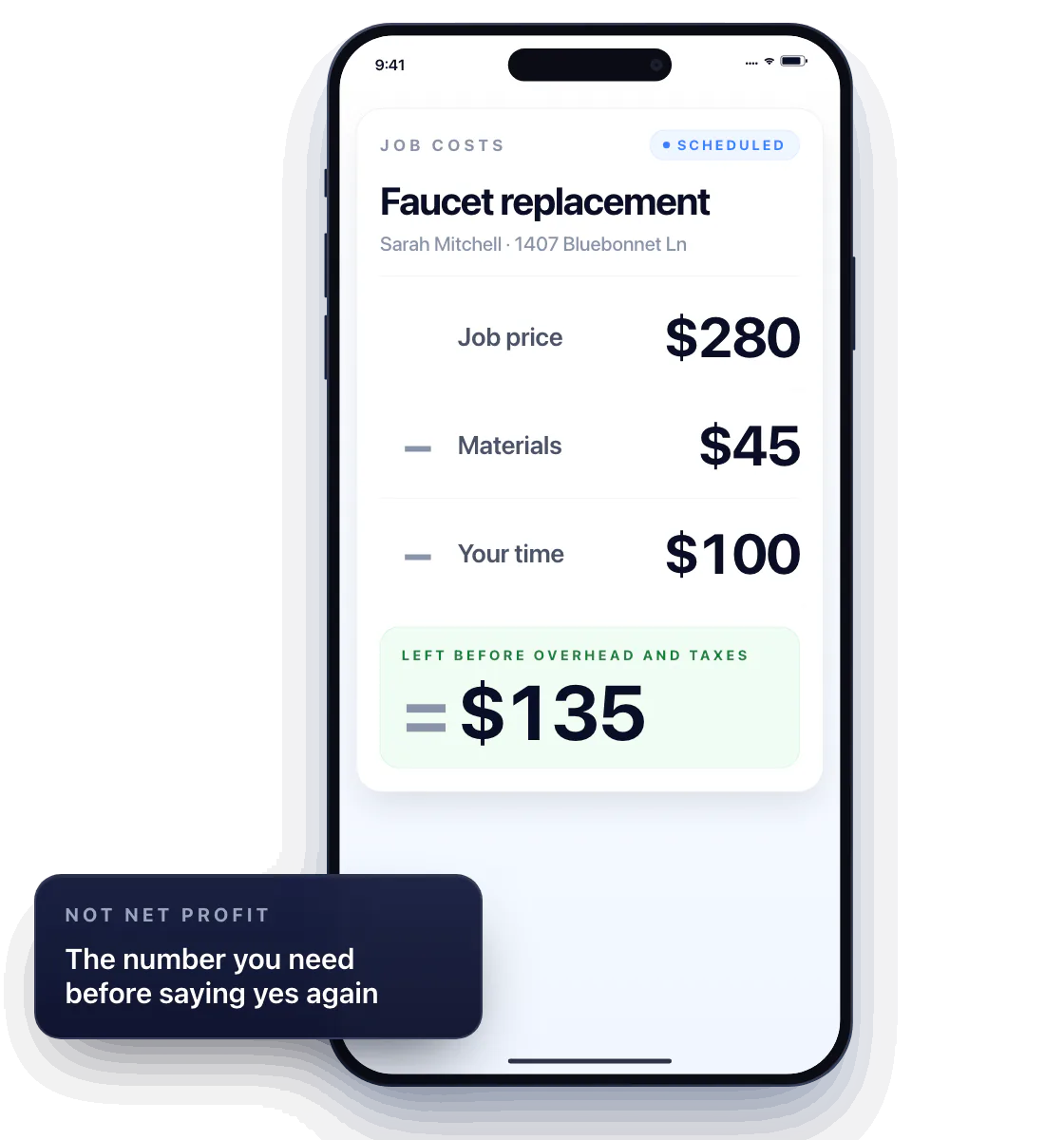
See what remains after the job costs
$280 job, $45 in materials, $100 of your time: $135 left before overhead and taxes.
Not a market price and not net profit — just the number you need before saying yes to the same price again.
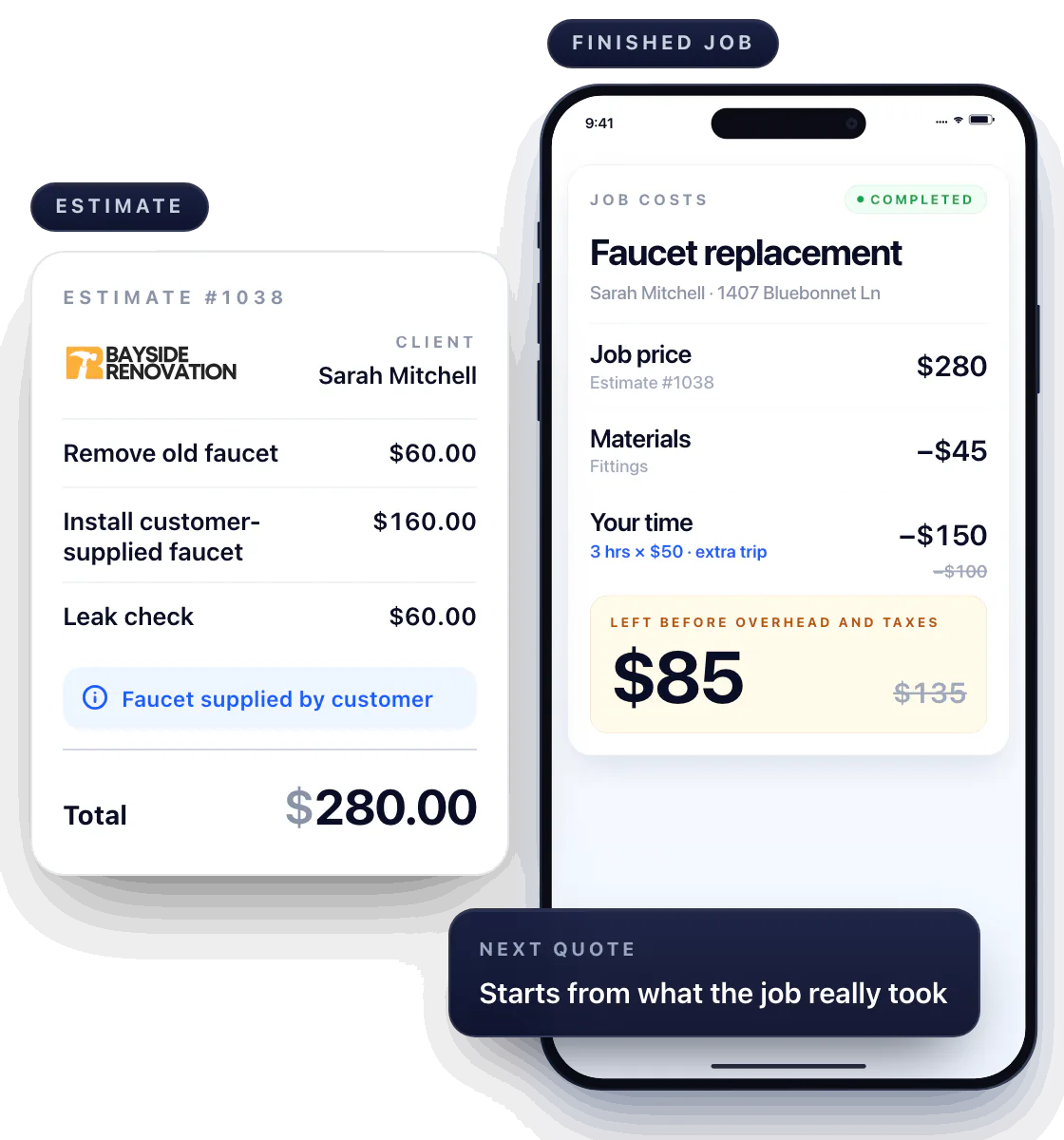
Use the finished job to review your next quote
The replacement took an extra trip and an extra hour? Update the costs on the finished job, and the next quote for that service starts from what it really took.
Compare the finished job with your price
Job costing works at both ends: when you set the price and when you see how the job actually went. Workly keeps both on the same job.
Questions about job costing
Is the invoice total my profit?
No. It’s what you charged. Subtract materials, your time and overhead, and what’s left is what the job paid you.
Should I count my own time?
Yes, even solo. Give your hours a rate and put them on the job — otherwise every “profitable” job is paying you less than you think.
When should I look at job costs?
Twice: before you send the quote, and when you mark the job Completed — while you still remember the extra trip to the store.