
Price Book Software for Contractors
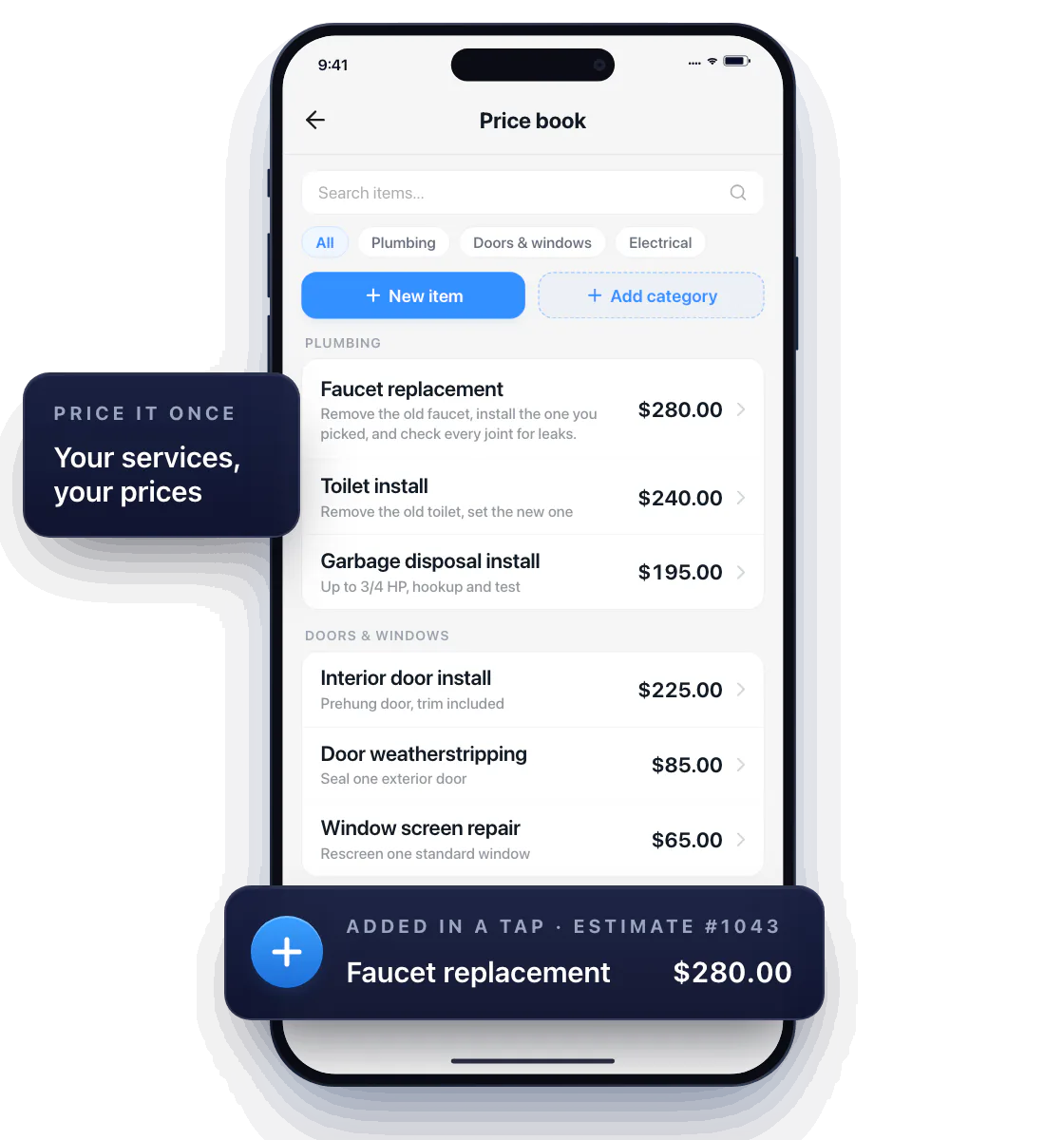
Price it once. Add it in a tap. Save the services you quote all the time — with the description and price you actually use — and drop them into any estimate or invoice without retyping a word.
Build a digital price book around your work
Start with the five jobs you quote every week. Give each one a description a customer would understand and the price you charge for it.
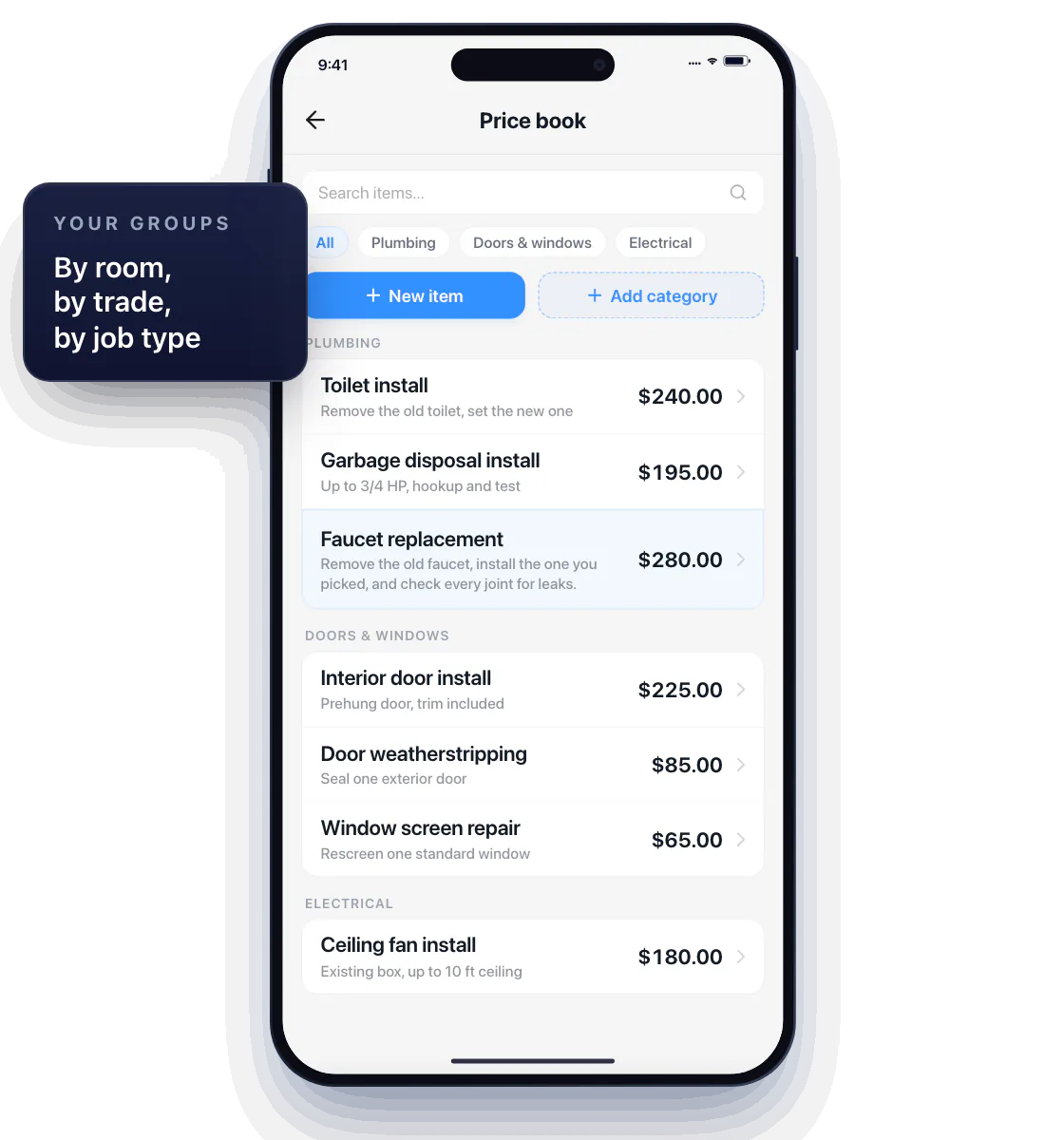
Group them however you work — by room, by trade, by job type — so the right item is one scroll away while the customer is standing next to you.
Tap it into the estimate, adjust for the job
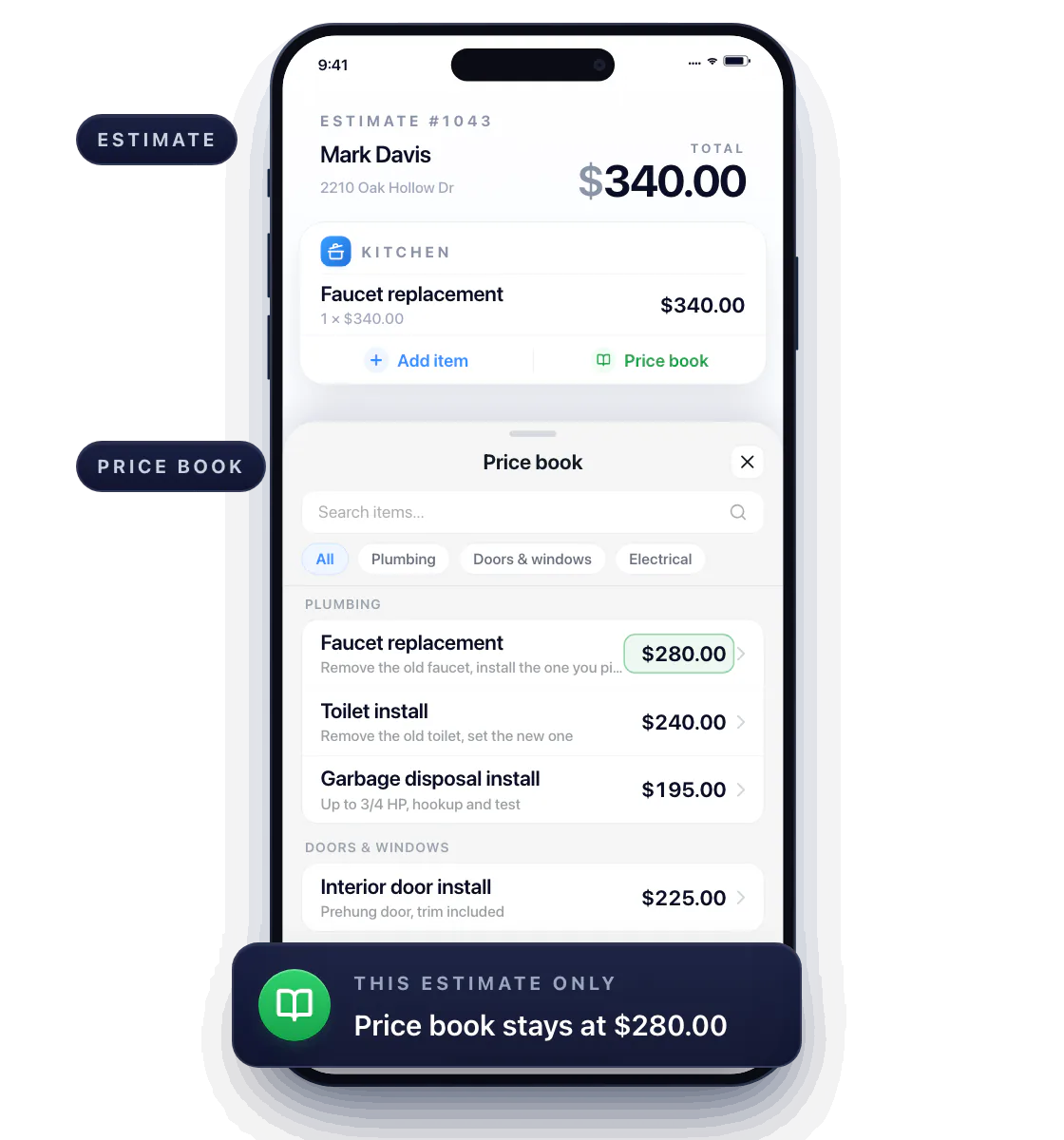
In an estimate or invoice, tap the saved item and it lands with its price filled in; the total updates on the spot.
Different property, extra work? Change the quantity or the price on that one document — your price book stays as you set it.
Same job, same price, every time
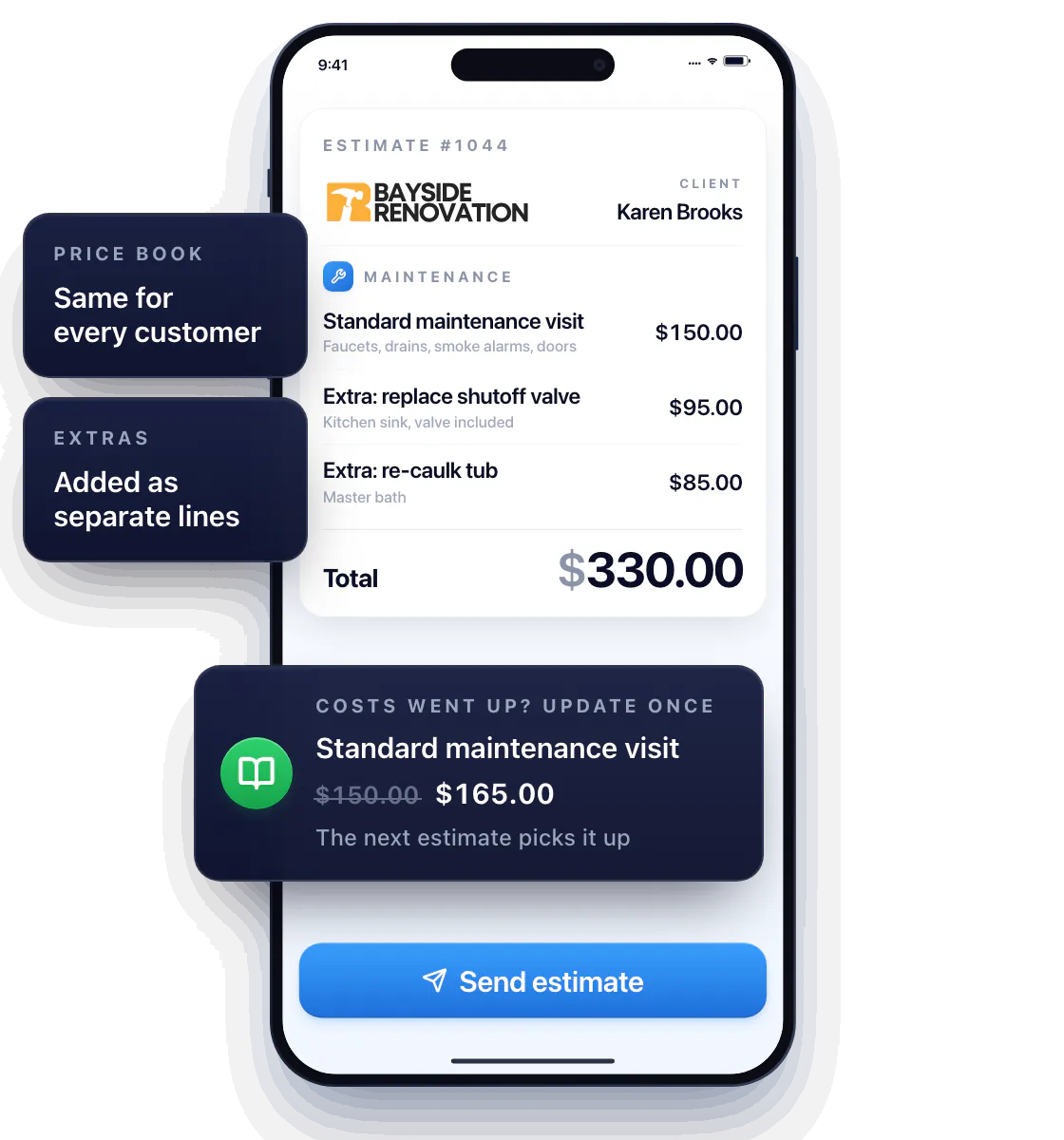
Standard maintenance visit? Same description and price for every customer, with extras added as separate lines. The customer sees a consistent, professional quote, and you stop guessing what you charged last time.
Costs went up? Update the item once; the next estimate picks it up.
Questions about the price book
Can I use my own prices?
Yes. The price book holds your services, your wording and your prices — nothing is pre-filled for you.
Does a saved price have to fit every job?
No. The saved item is the starting point; change the quantity or price on any estimate or invoice without touching the price book.
What should I add first?
The services you quote most often. Five items cover most of a week’s work; add the rest as they come up.