
Contractor Scheduling App for Solo Pros
Every visit on one calendar, every stop on one map. Workly shows what’s booked today, what you’re in the middle of, and what’s completed — so you show up when you said you would and never double-book a Tuesday.
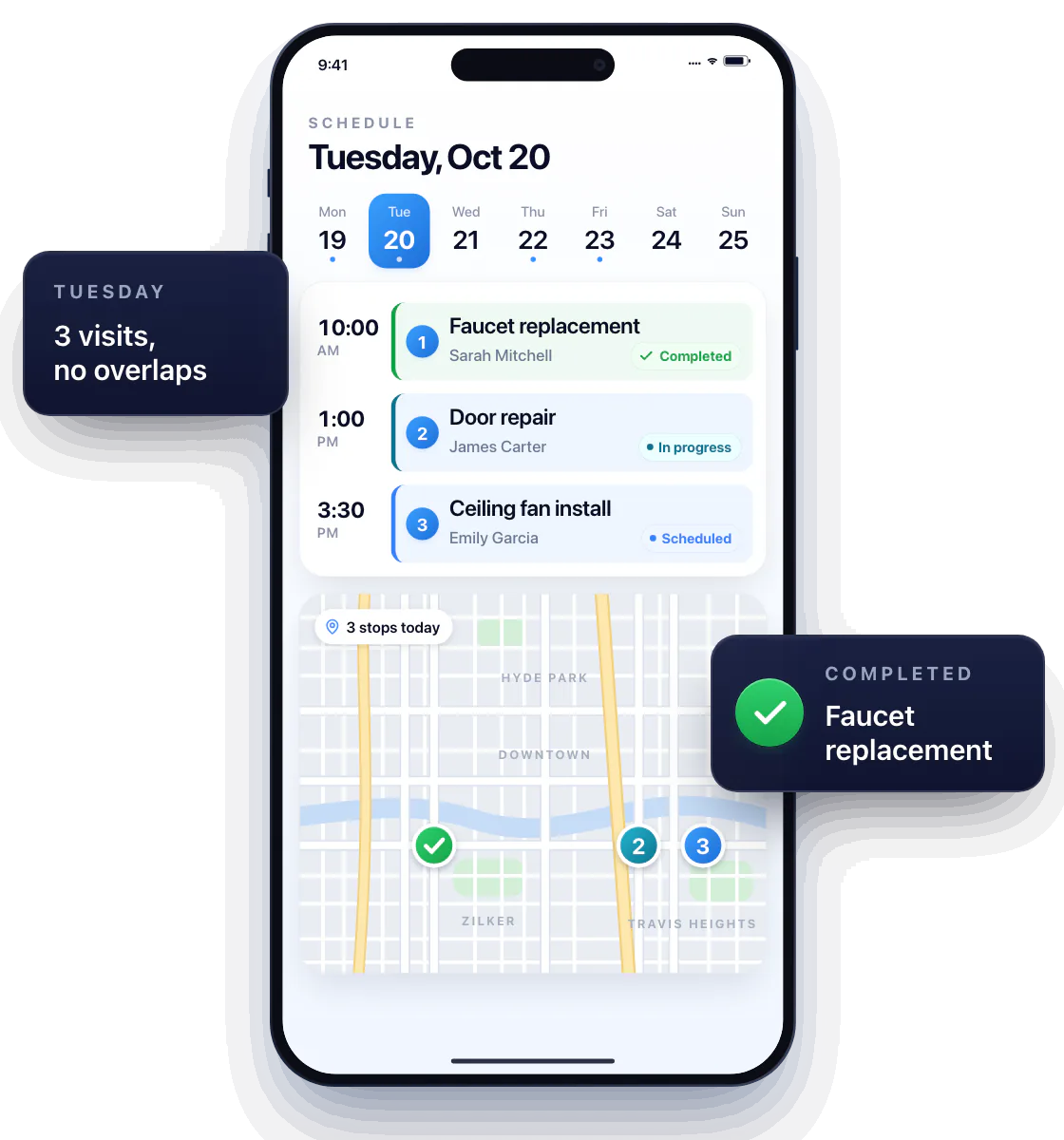
Give each customer visit a place in the day
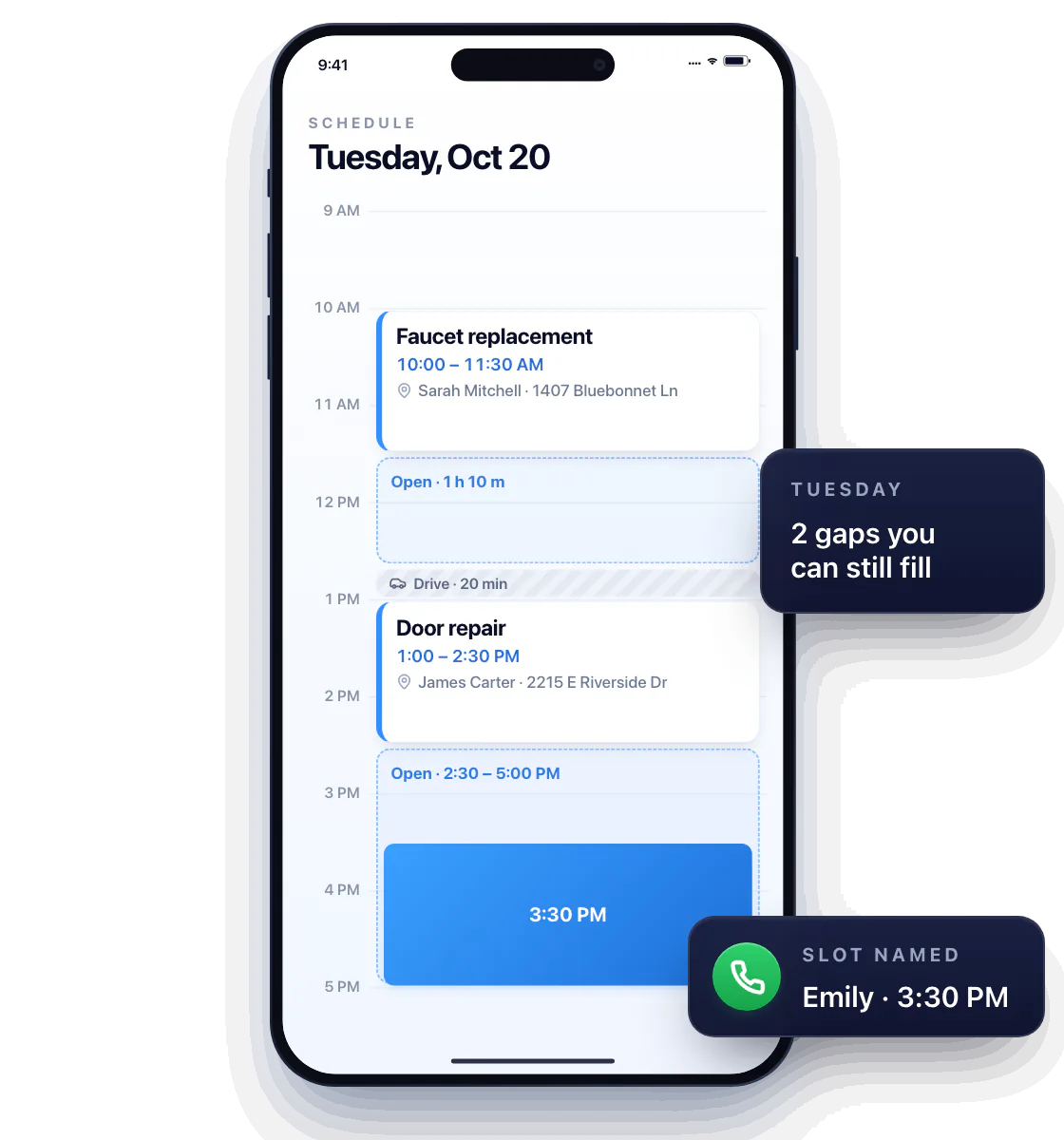
Book the faucet job at 10, the door repair after lunch, and see the gaps you can still fill — with room for the drive in between.
A customer calls to book? No “let me check and call you back” — open the calendar, name a slot, done.
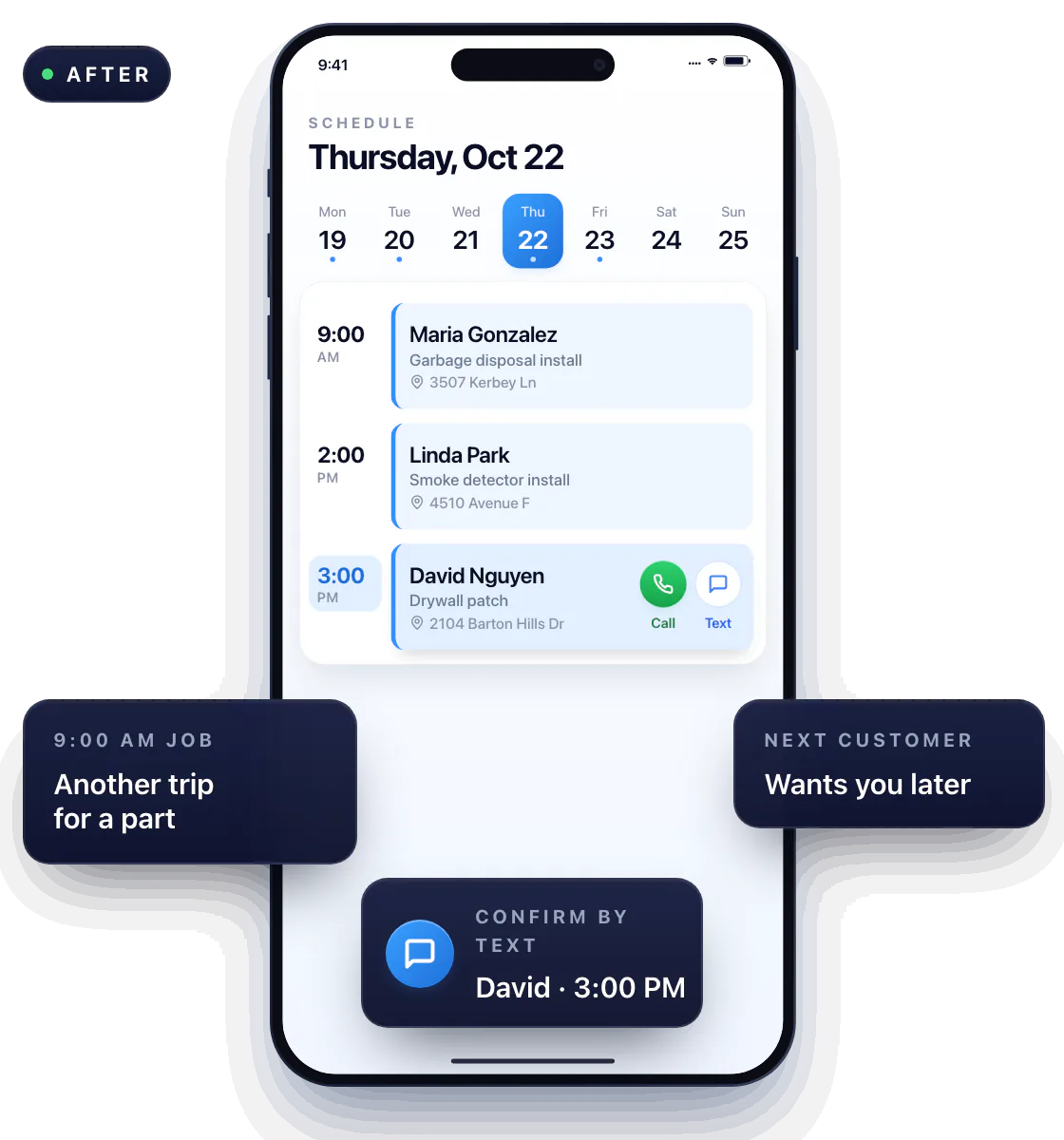
Update the plan when a job runs long
A part needs another trip to the store; the next customer wants you later. Change the time, the day re-sorts, and the Call and Text buttons are right on the visit to confirm the new slot.
See the next visit and the work still in progress
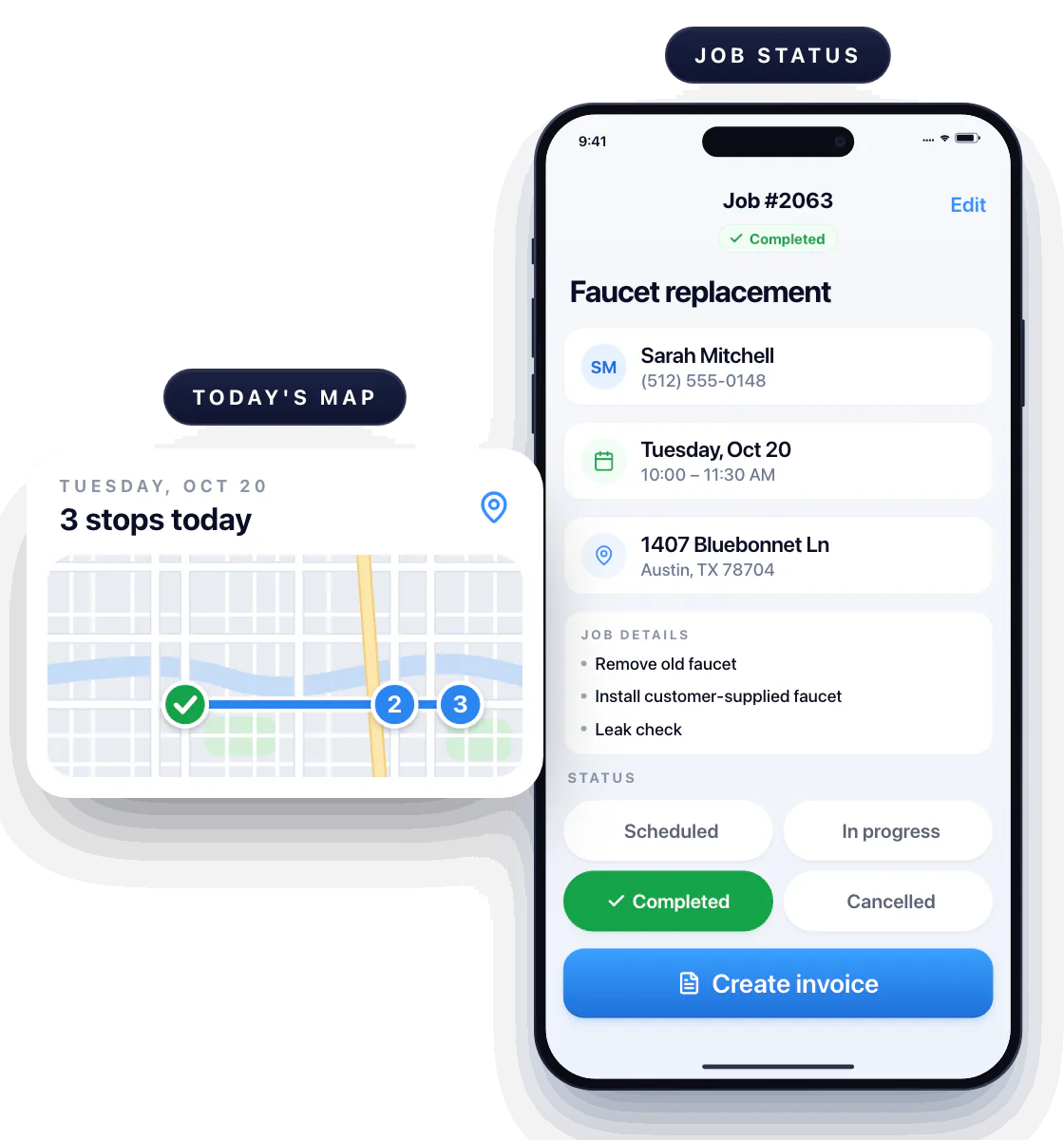
Each job carries a status — Scheduled, In progress, Completed — so a glance tells a future visit from a job you’ve already started. For the full status list and what’s ready to invoice, see work orders.
Arrange the order of your stops
All of today’s stops sit on one map. Book the jobs that are close to each other back to back and skip the back-and-forth across town — see route planning. When the work is complete, the invoice is one tap away.
Questions about contractor scheduling
Can I use Workly to plan my own visits?
Yes. It’s built for solo pros who book, drive to and do the work themselves — no dispatcher needed.
How do I see which work is finished?
Mark the job Completed when you leave. The calendar and the job list show it as completed, and the invoice is one tap away.
Does changing the schedule notify the customer?
Not automatically. The Call and Text buttons on the visit are right there, so confirming a new time takes one tap.