
Route Planning for Solo Contractors
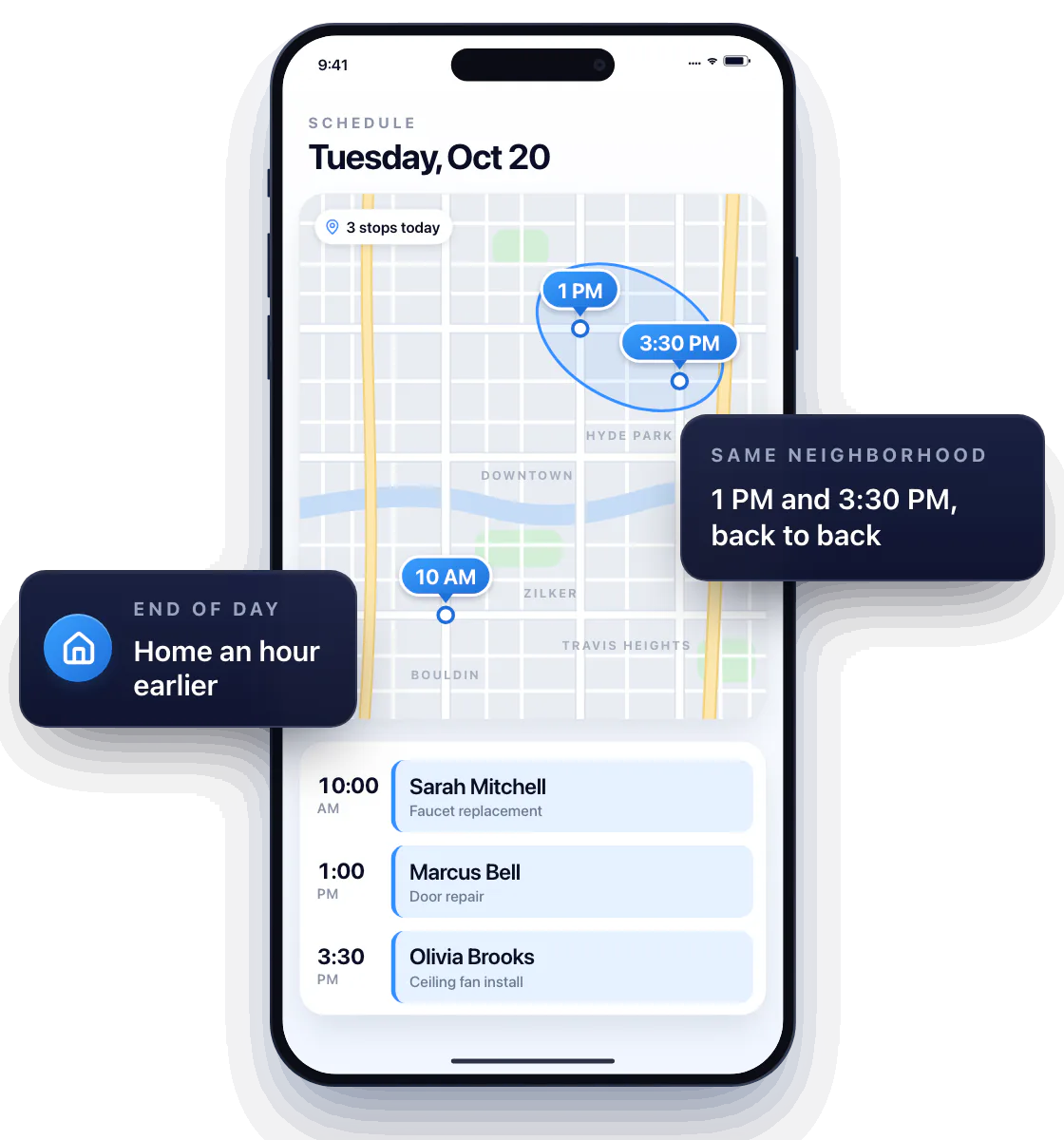
Stop zigzagging across town. Workly puts every appointment on the calendar and all your stops on one map, so you can book the jobs that are close to each other back to back — and get home an hour earlier.
Plan the order of customer visits
Look at the map, not the list. Two jobs in the same neighborhood? Book them back to back and leave the cross-town drive for when it actually pays.
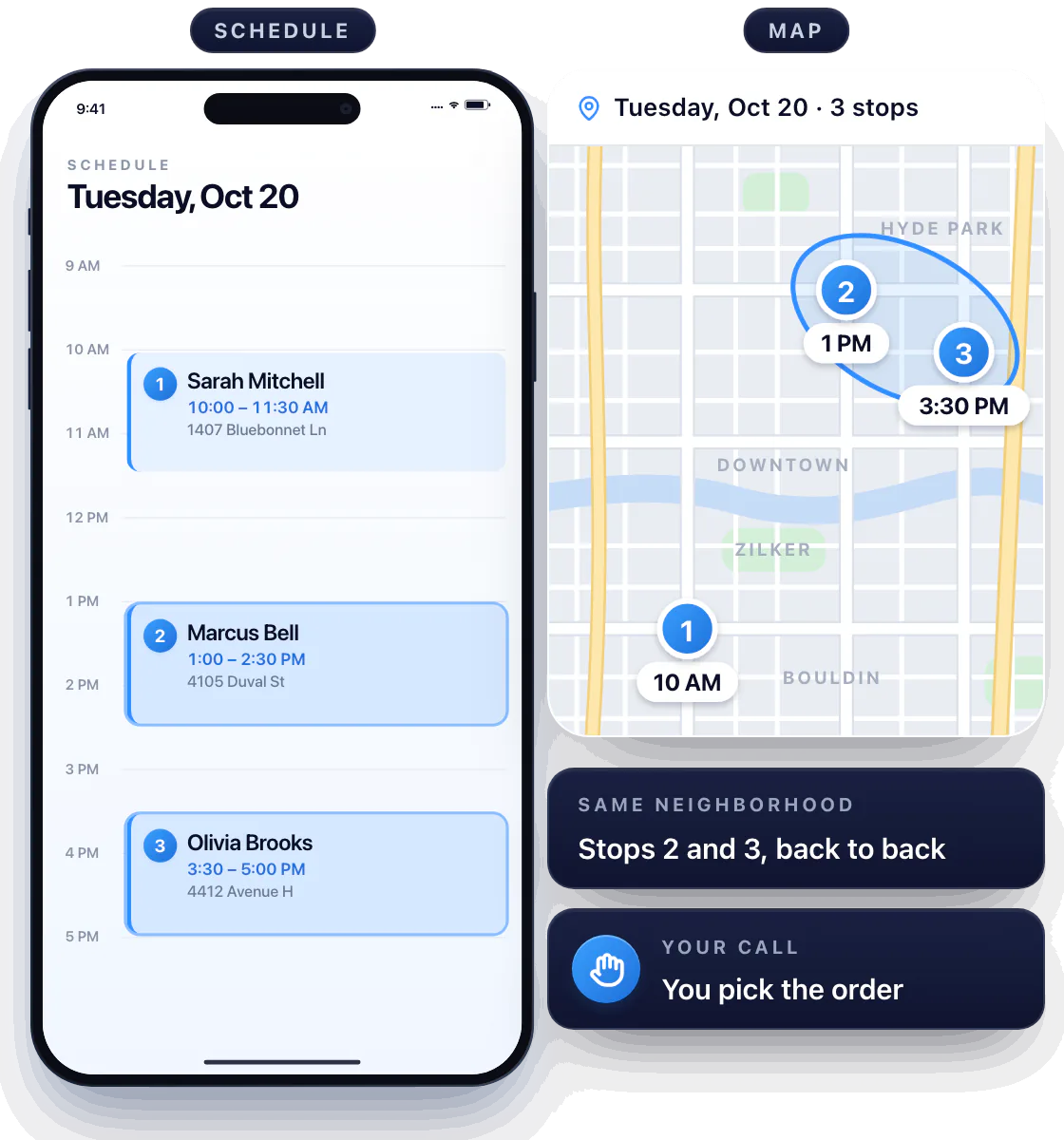
You know the roads; the map shows the stops
Workly shows where every visit is and when you promised to be there. You pick the order — it doesn’t guess your traffic or your lunch spot.
Change the sequence when a visit moves
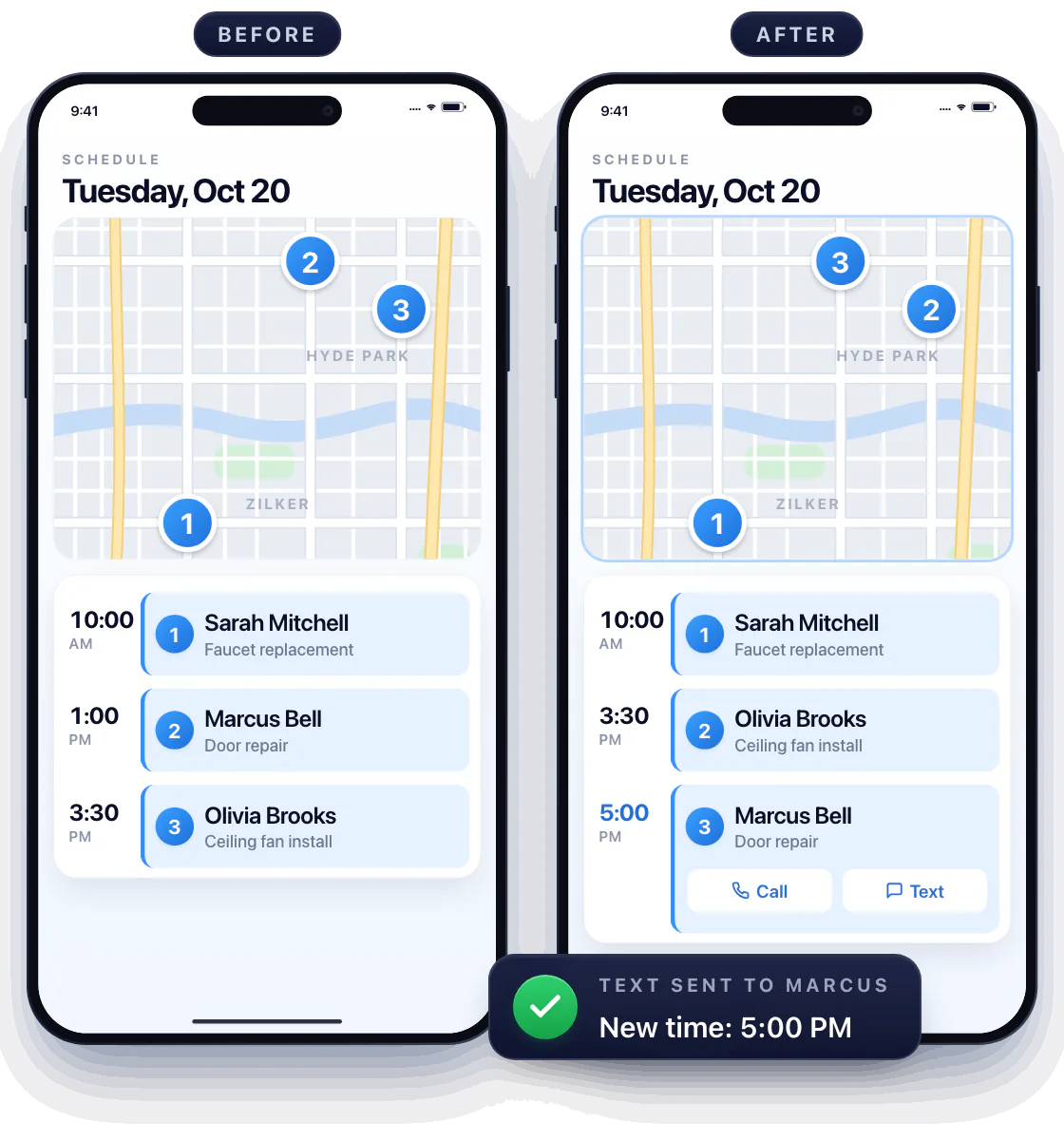
A customer pushes to 5 PM? Move the visit and the rest of the day re-sorts around it.
Update the order and confirm the change
Confirm the new time with a tap on Call or Text right on the visit, and check the map again before you leave the current job.
Know what’s at the next stop before you get there
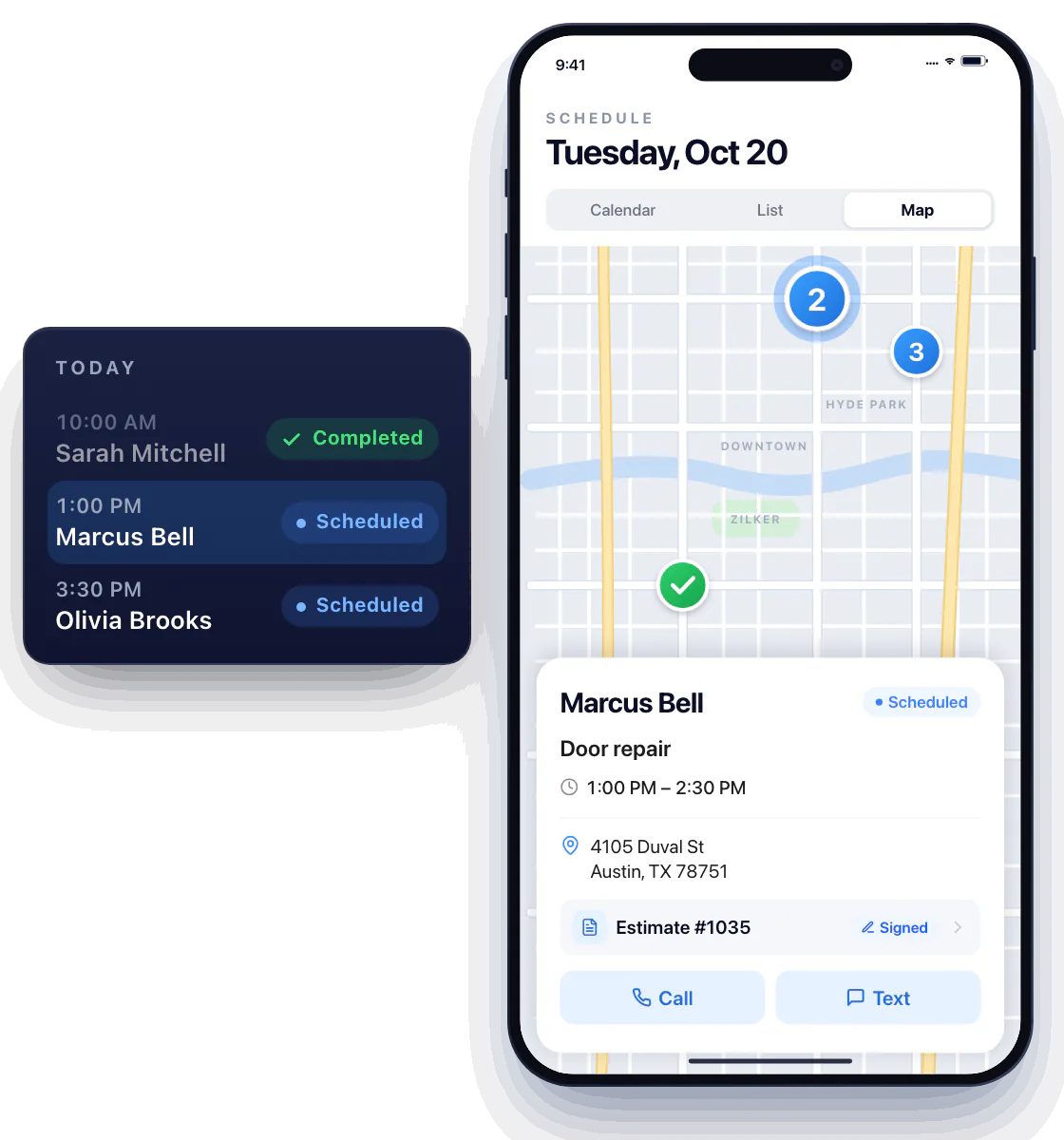
Tap the next visit and the address, the agreed work and the signed estimate are right there — no digging through texts.
Tell finished work from the jobs ahead
Each job carries its status — Scheduled, In progress, Completed — so the map shows where you’re going and the list shows what’s left to finish.
Questions about route planning
Where do I plan the route?
In Schedule: the day’s visits on the calendar, the same stops on one map.
Does Workly calculate the fastest route automatically?
No. It puts every stop on one map so you can see what’s close; you set the order by the visit times.
Does route planning track my location?
No. Workly shows your visits on a map; it doesn’t track where you are during the day.