
Home service business software

Win the job. Do the work. Get paid. One app.

Workly takes a job from the first message to the final payment: quote it in minutes, get the estimate signed, schedule the visit, turn it into an invoice in a tap, and take the card before you leave the driveway. All from your phone — no laptop, no admin night.
Rated 4.9 by 79 pros on the App Store
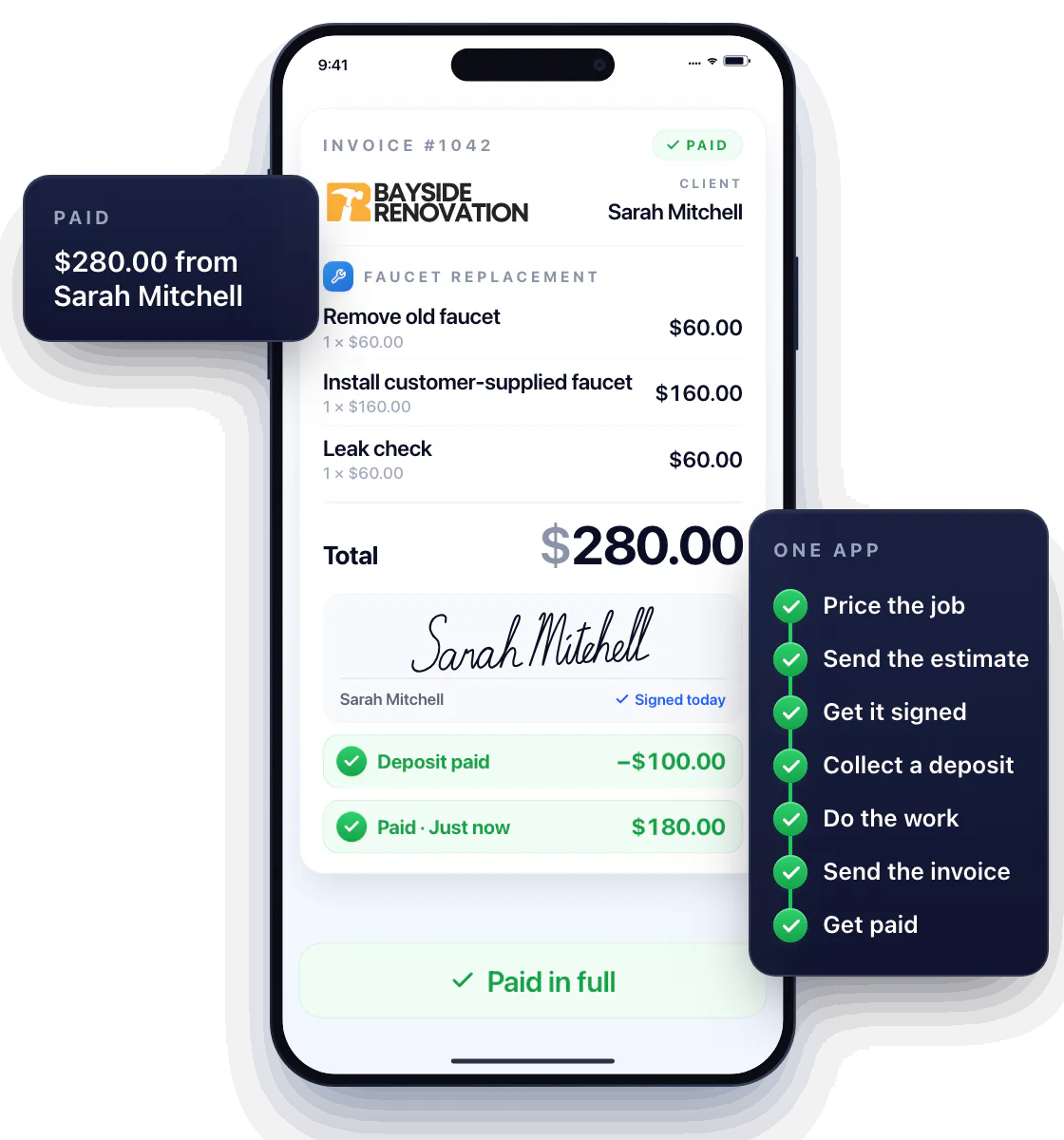
Workly invoice #1042 from Bayside Renovation for Sarah Mitchell, a faucet replacement totaling $280.00, signed, with a $100.00 deposit and the $180.00 balance paid; beside it all seven steps are ticked green: price the job, send the estimate, get it signed, collect a deposit, do the work, send the invoice and get paid
Trusted by service businesses
4.9★ App Store rating
1,200+ Active pros
$4M+ Invoiced through Workly
50 States supported

Win more jobs with professional estimates

No more napkin math and text-message quotes. Put together a clear, itemized estimate on site, send it in a tap, and get a yes before the competition even replies.
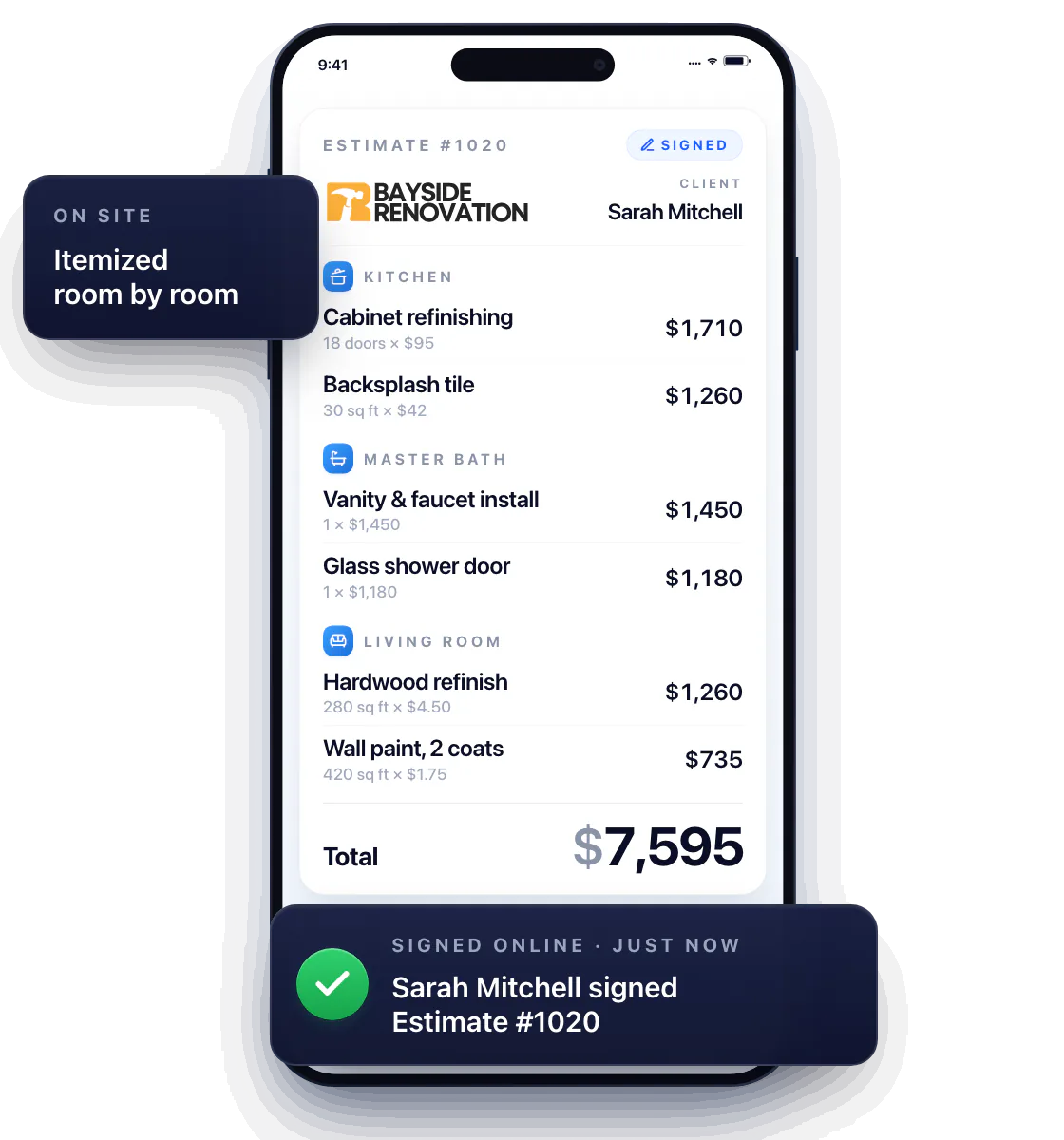
Workly estimate #1020 from Bayside Renovation for Sarah Mitchell, itemized by kitchen, master bath and living room, total $7,595, sent from the phone and signed by the client

Price it once. Add it in a tap.

Save your services and prices to your pricebook once. Next time, tap to drop them into any estimate or invoice — no retyping, no guessing what you charged last time.
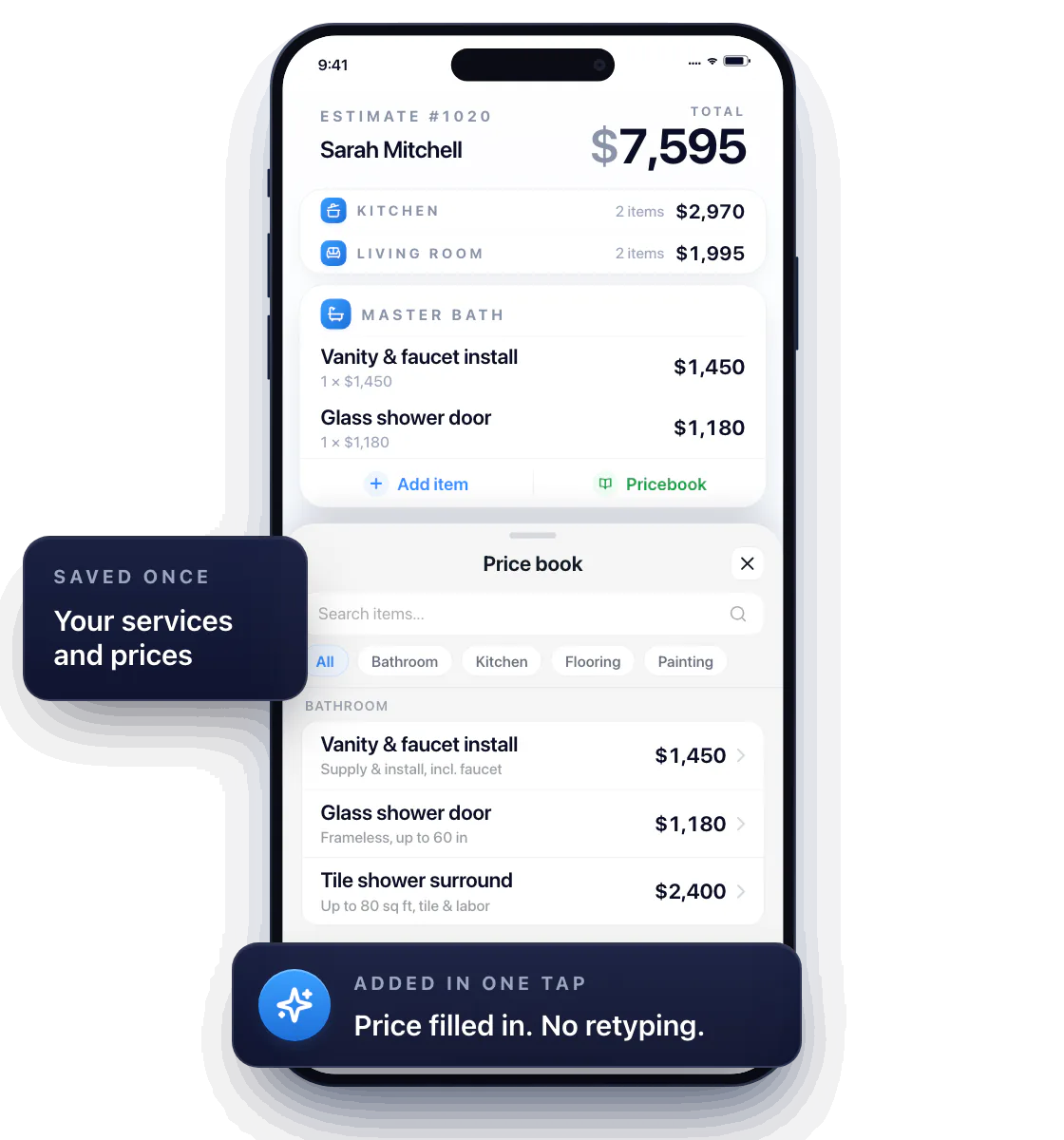
Workly price book with saved services and prices grouped by category; one tap on Vanity & faucet install, then on Glass shower door, drops each into Estimate #1020 with its price filled in, and the total updates to $7,595

Stop underpricing your work

Most pros charge less than they could. Workly’s AI checks the service and your location and shows what the job should actually cost — so every estimate makes you money and still wins the customer.
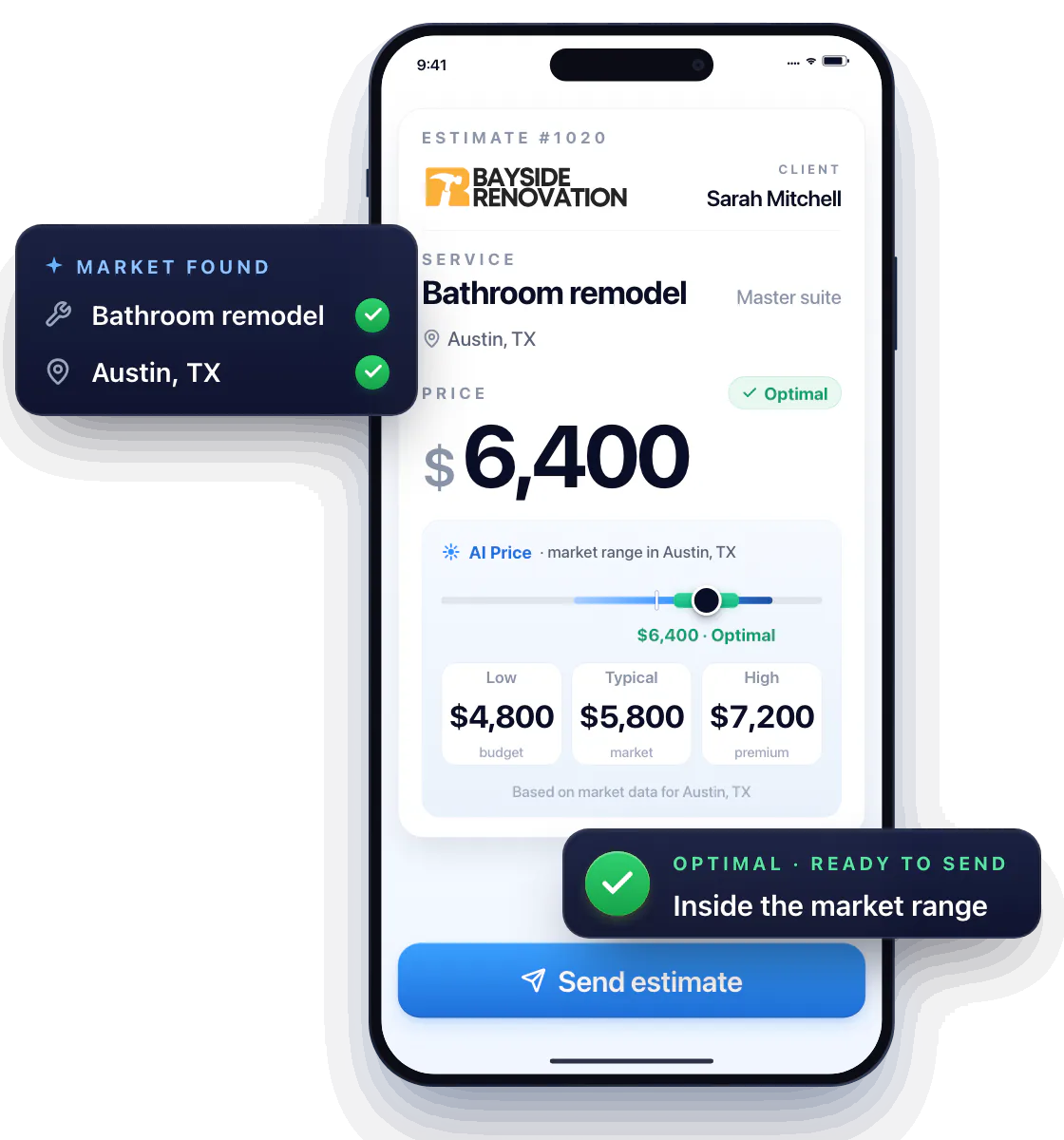
Workly AI Price checks a bathroom remodel in Austin, TX, shows the market range from $4,800 to $7,200, and moves the price from $3,900, below market, to an optimal $6,400 inside the range, ready to send
US only

Turn Thumbtack leads into paying jobs

Instant auto-replies, estimates and invoices sent right into Thumbtack, and a clear cost per lead. Close more of the leads you pay for, and finally know which ones were worth the money.
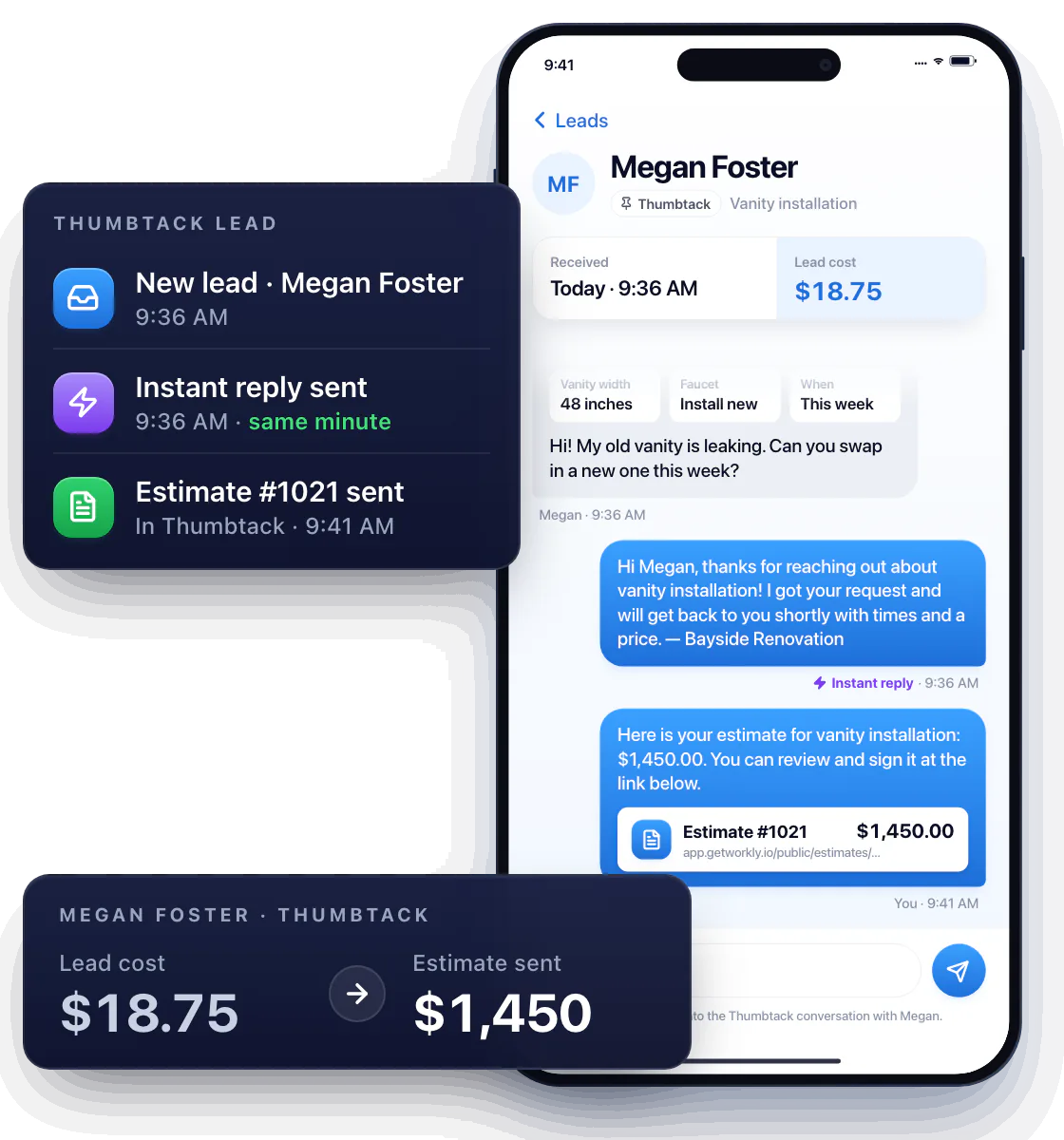
A new Thumbtack lead from Megan Foster for a vanity installation gets an instant reply in the same minute, then Estimate #1021 for $1,450 goes into the Thumbtack conversation, next to the lead cost of $18.75

Know the second they open what you sent

The moment a customer views your estimate or invoice, you get a notification and the status flips to Viewed. Follow up while the job is still fresh in their mind — not three days later, when they’ve already hired someone else.
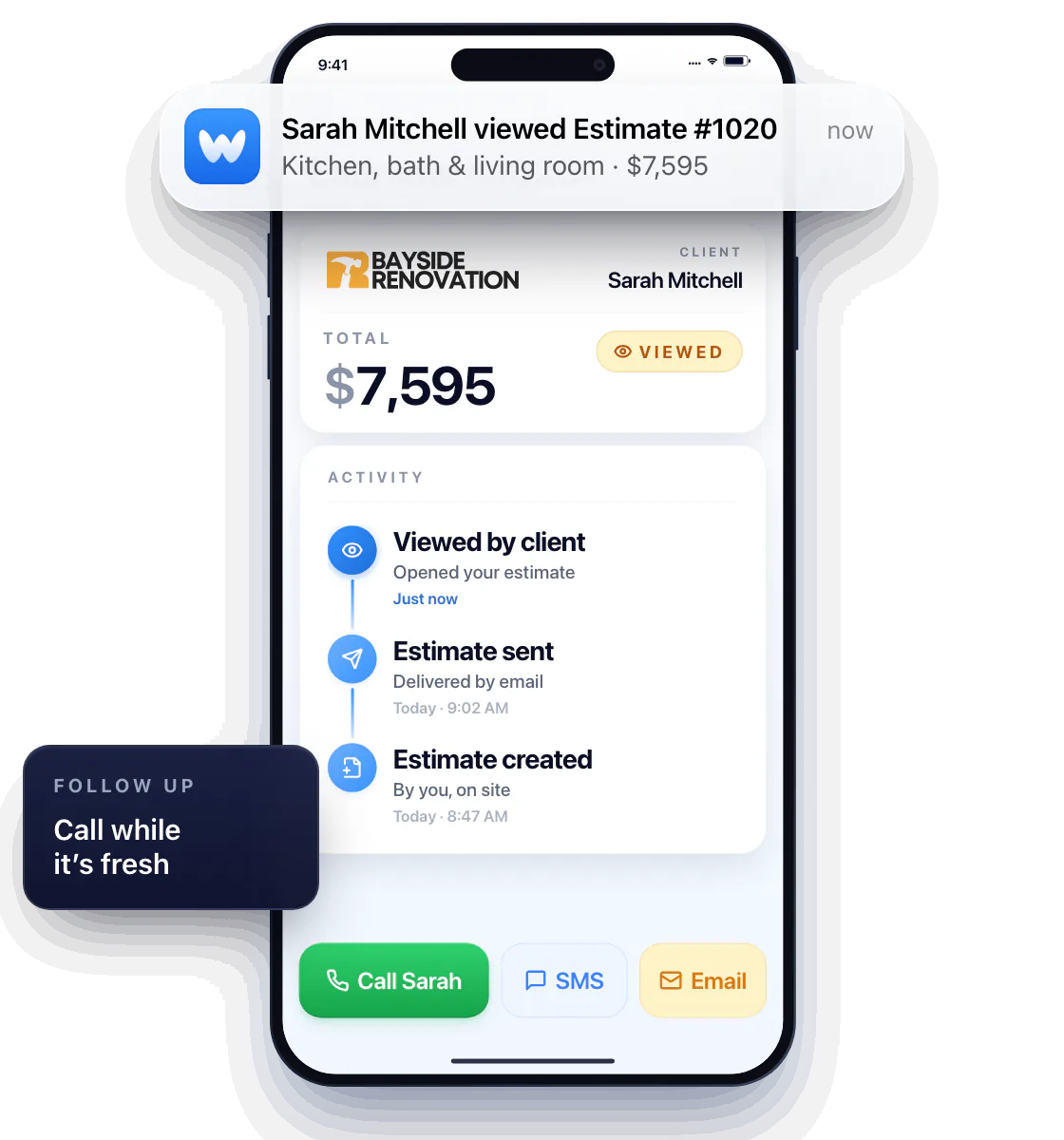
A push notification on the contractor's iPhone, Sarah Mitchell viewed Estimate #1020; the status flips from Sent to Viewed, the activity log adds Viewed by client, just now, and the Call button lights up to follow up

Get it in writing before you start the job

Have the customer sign your estimate right on your phone, or send it and let them sign from theirs. Either way, the price and scope are agreed before you pick up a tool — no “that’s not what we talked about” when the bill comes.
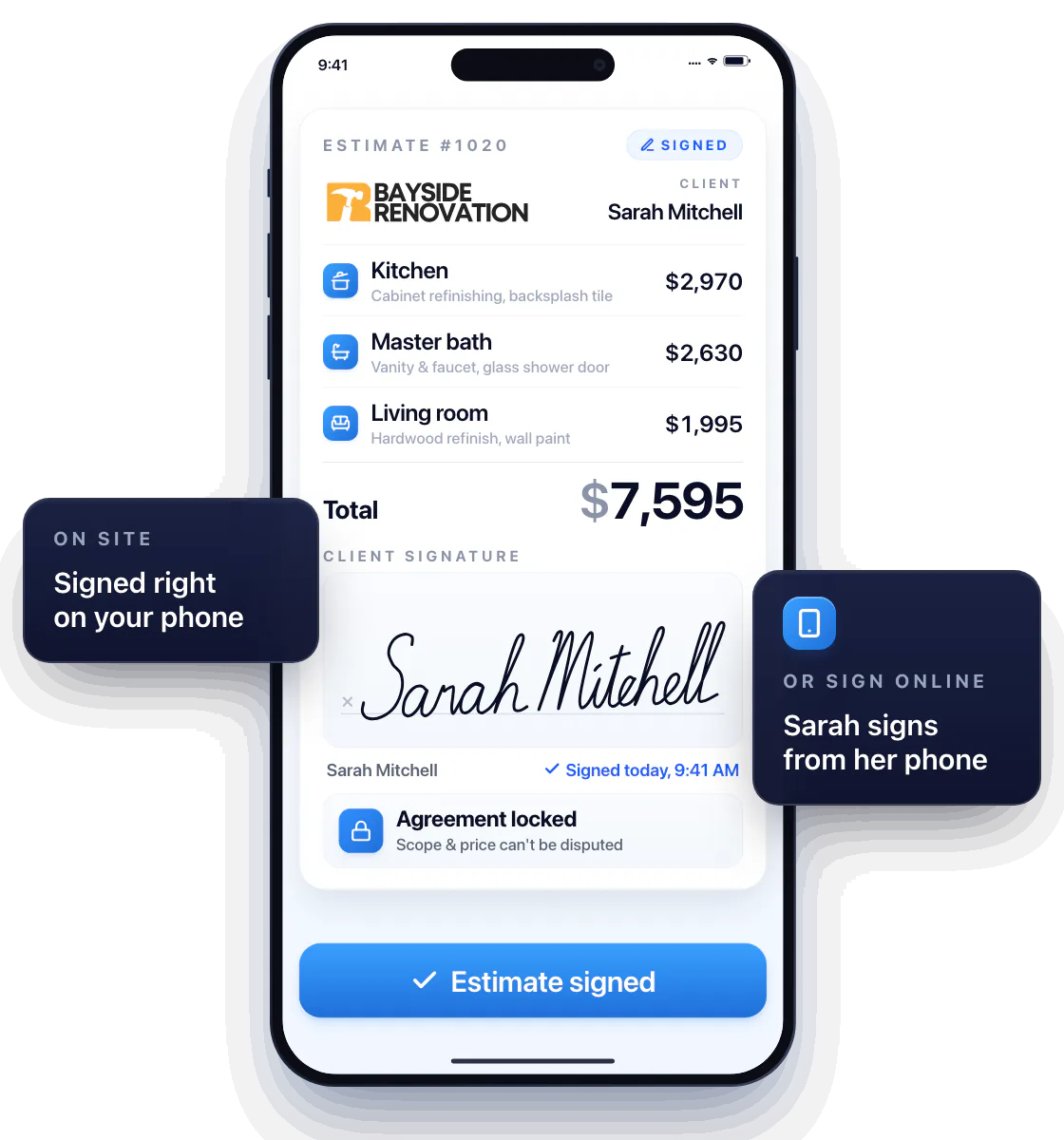
Sarah Mitchell signs Bayside Renovation's Estimate #1020 for $7,595 on the contractor's phone, the estimate turns Signed and the agreement locks; she can also sign online from her own phone

Job’s done? Your invoice already is.

Open the estimate the customer approved, tap Convert, and it’s an invoice — same line items, same prices, ready to send with a pay link. No retyping, no “that’s not the number you quoted.”
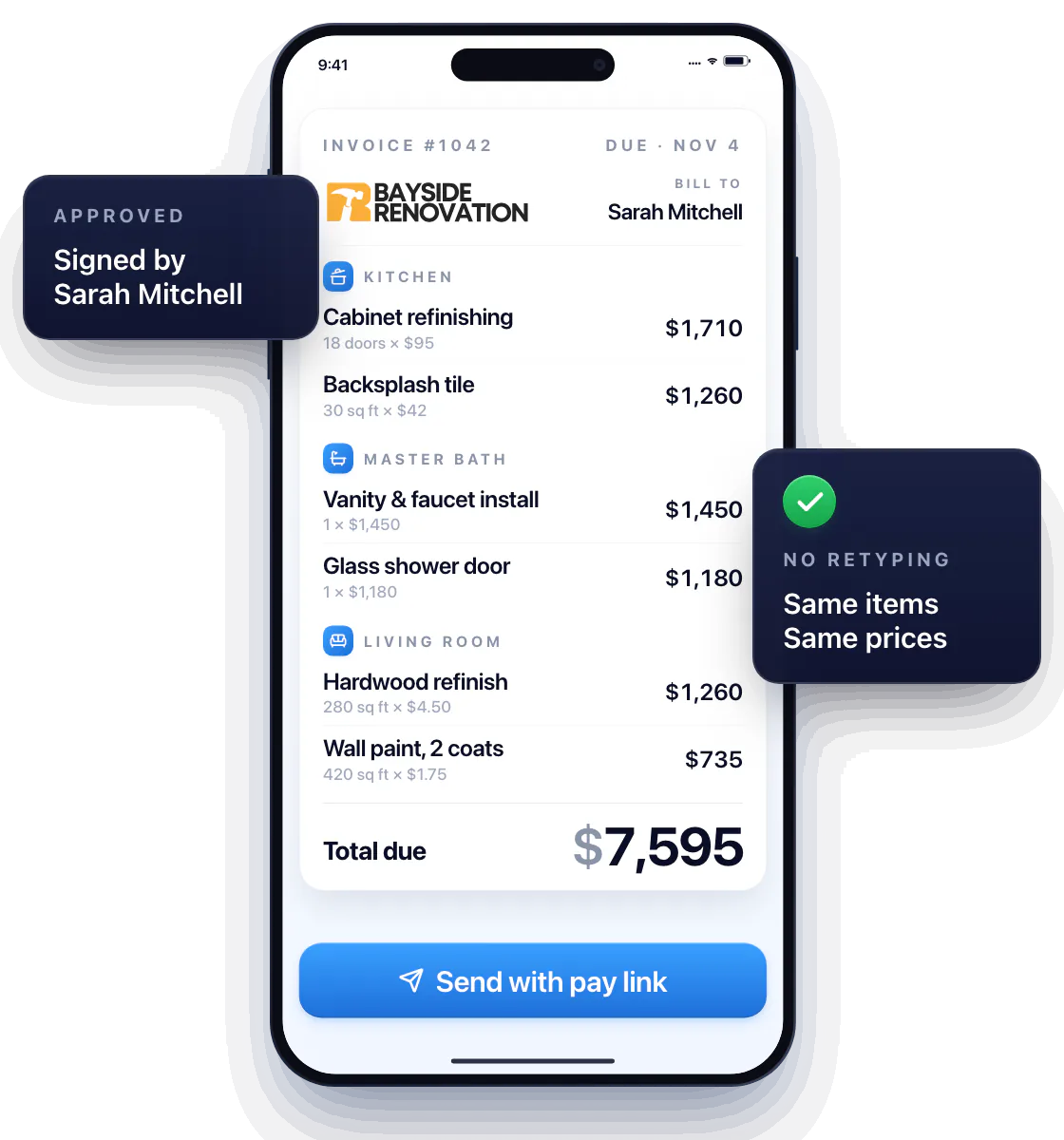
Sarah Mitchell's signed estimate #1020 from Bayside Renovation, total $7,595; one tap on Convert to invoice turns it into Invoice #1042 with the same line items and the same prices, ready to send with a pay link

Look like a real business — and get paid like one

Your logo, your business details, clean itemized lines and a Pay Now button. Customers don’t question a professional invoice, and they don’t haggle with it either.
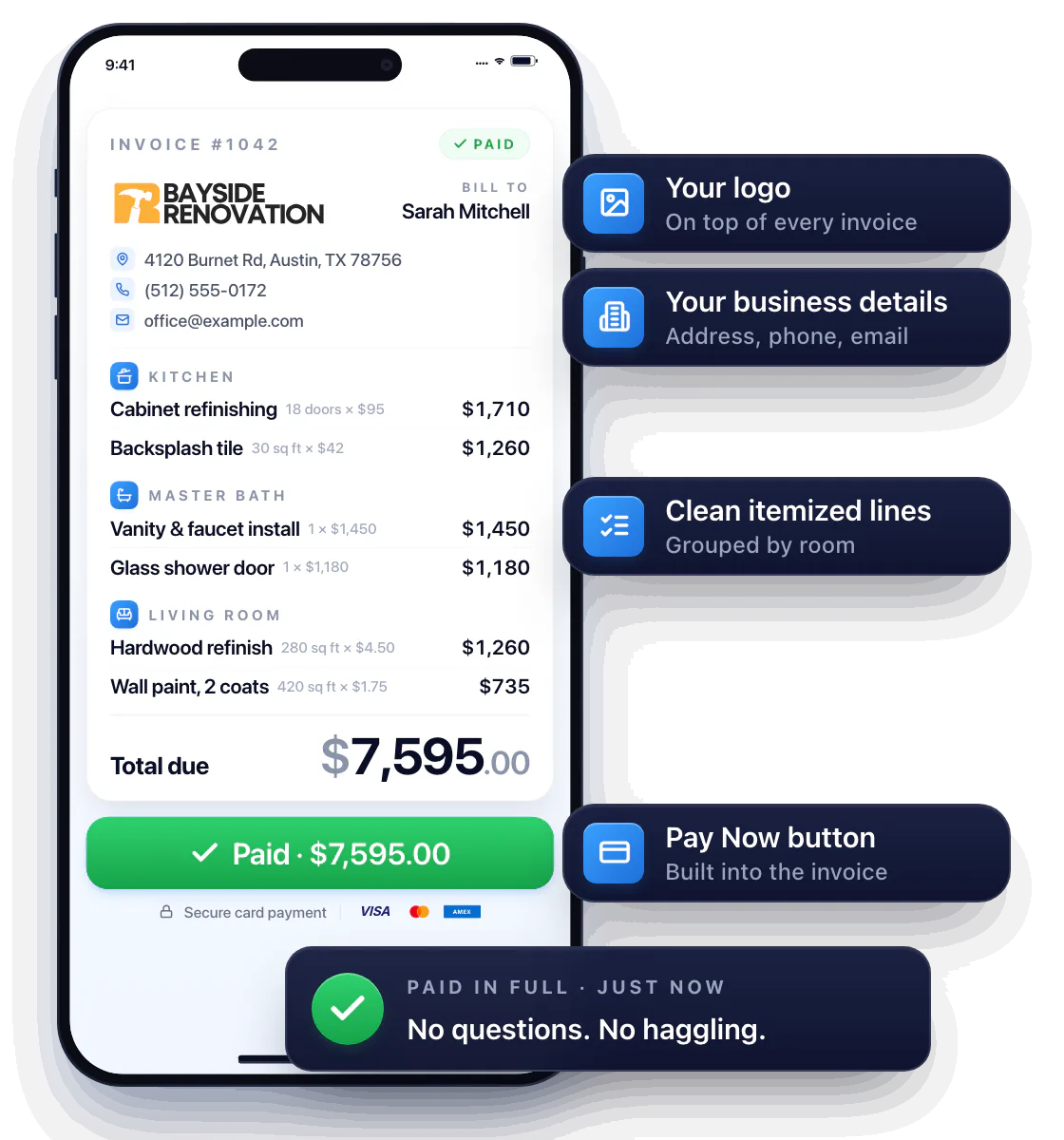
Invoice #1042 from Bayside Renovation on Sarah Mitchell's phone: the company logo, its address, phone and email, line items grouped by room, a $7,595.00 total and a Pay Now button; she taps Pay Now and the invoice turns Paid in full

Get paid on the spot — or the moment they open the invoice

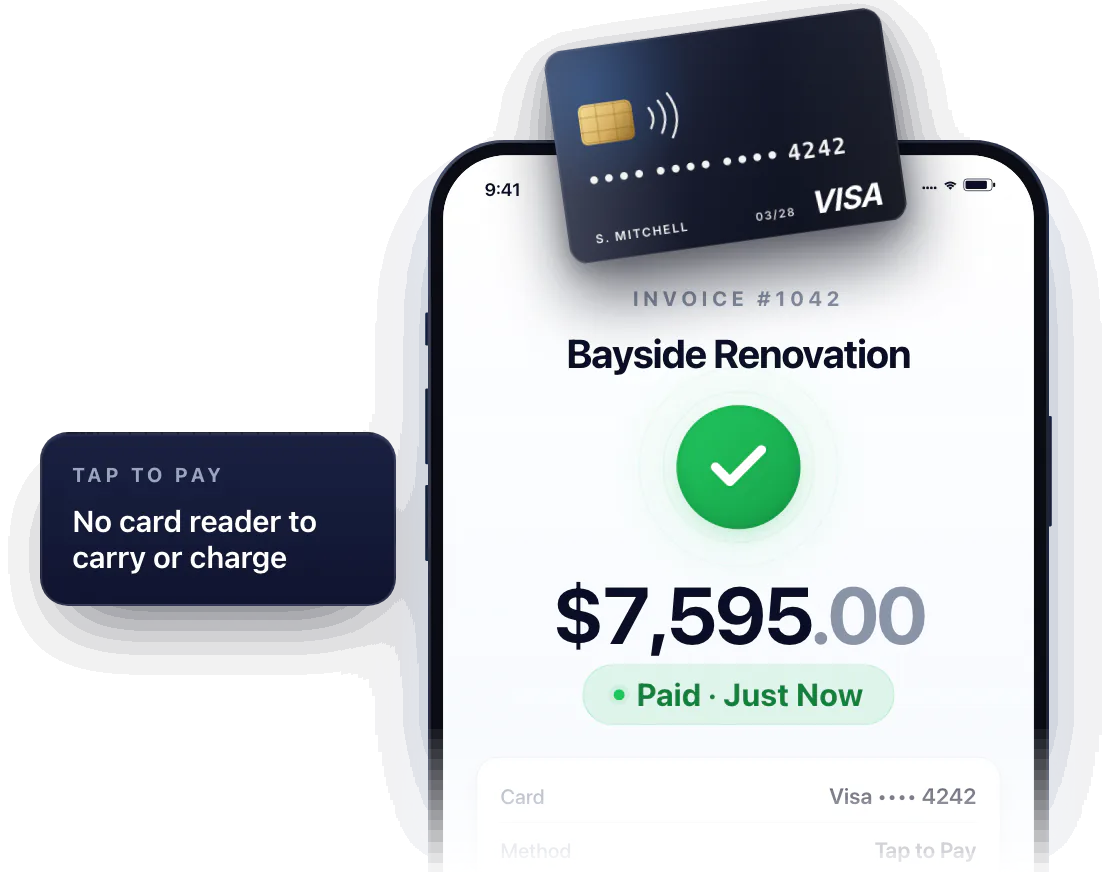
Take a card right on your phone when the job’s done, or send an invoice with a pay link and let the customer pay from theirs. Either way, no more waiting on checks or chasing “I’ll send it Friday.”

A customer taps a Visa card to the top of a contractor’s iPhone running Workly; the phone reads the card and shows Invoice #1042 from Bayside Renovation paid, $7,595.00, Paid · Just Now, with no card reader

Your phone is the card reader

Customer taps their card or phone to yours — paid before you leave the driveway. No extra hardware to carry or charge.
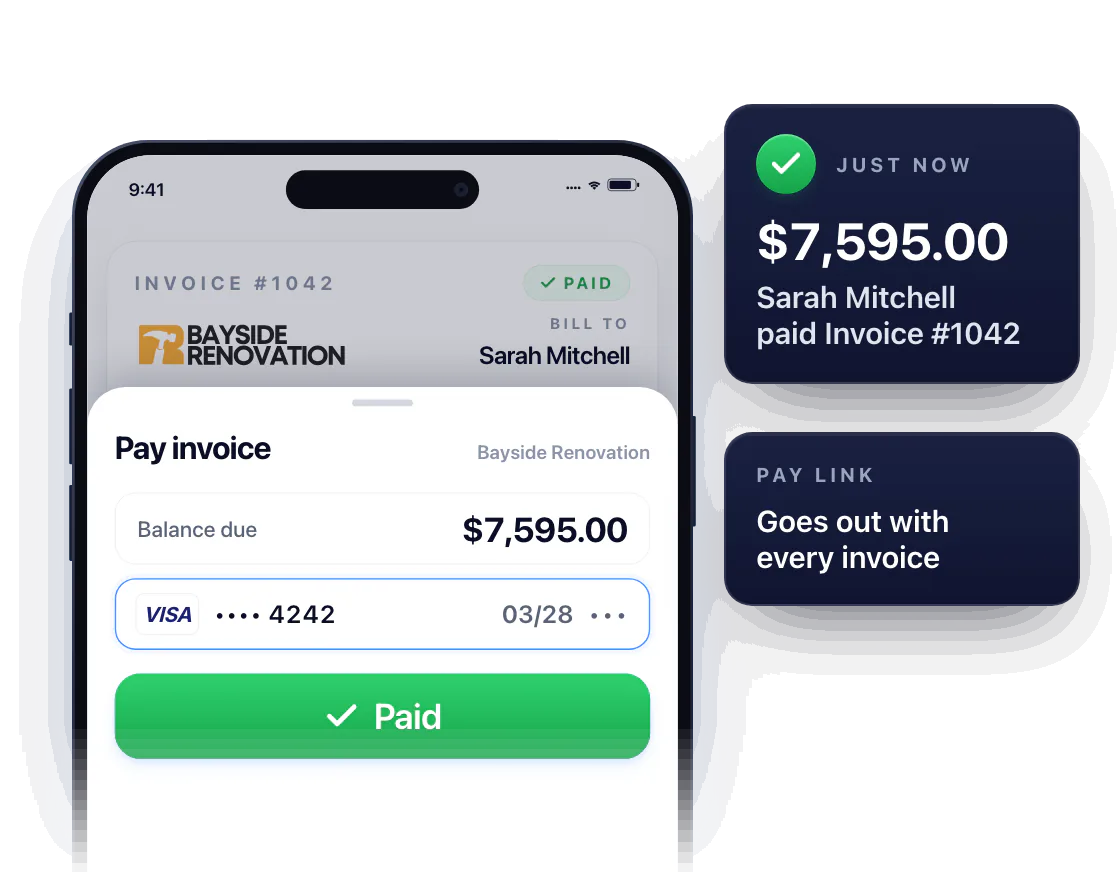
Sarah Mitchell opens Invoice #1042 from Bayside Renovation on her phone, taps Pay Now and pays $7,595.00 by card; right after, the contractor sees Sarah Mitchell paid Invoice #1042, $7,595.00, just now

Pay link on every invoice

Every invoice goes out with a Pay Now button. The customer pays by card from their phone in seconds, and you see it the second it lands.

Every customer, every job, in one place

Contacts, addresses, and the full history of estimates, invoices and payments for each customer. No more digging through your phone, your truck, or your memory to figure out what you did and what you charged.
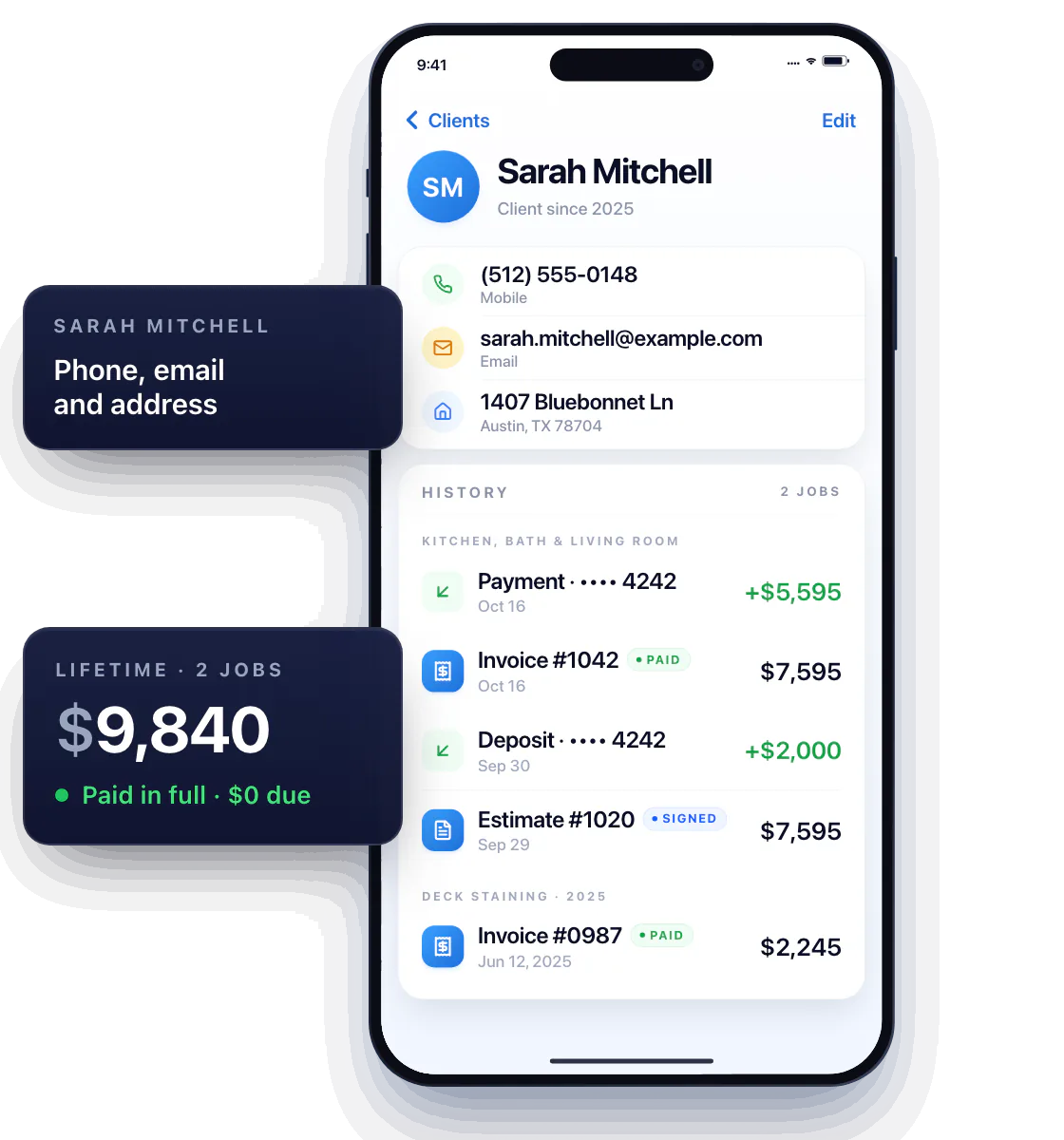
The Workly client list; tapping Sarah Mitchell opens her phone, email and Austin, TX address, then her full history of estimates, invoices and payments, with a lifetime total of $9,840, paid in full

Stop zigzagging across town

Put every appointment on the calendar and see all your stops on one map. Line up the jobs that are close to each other, skip the back-and-forth, and show up when you said you would.
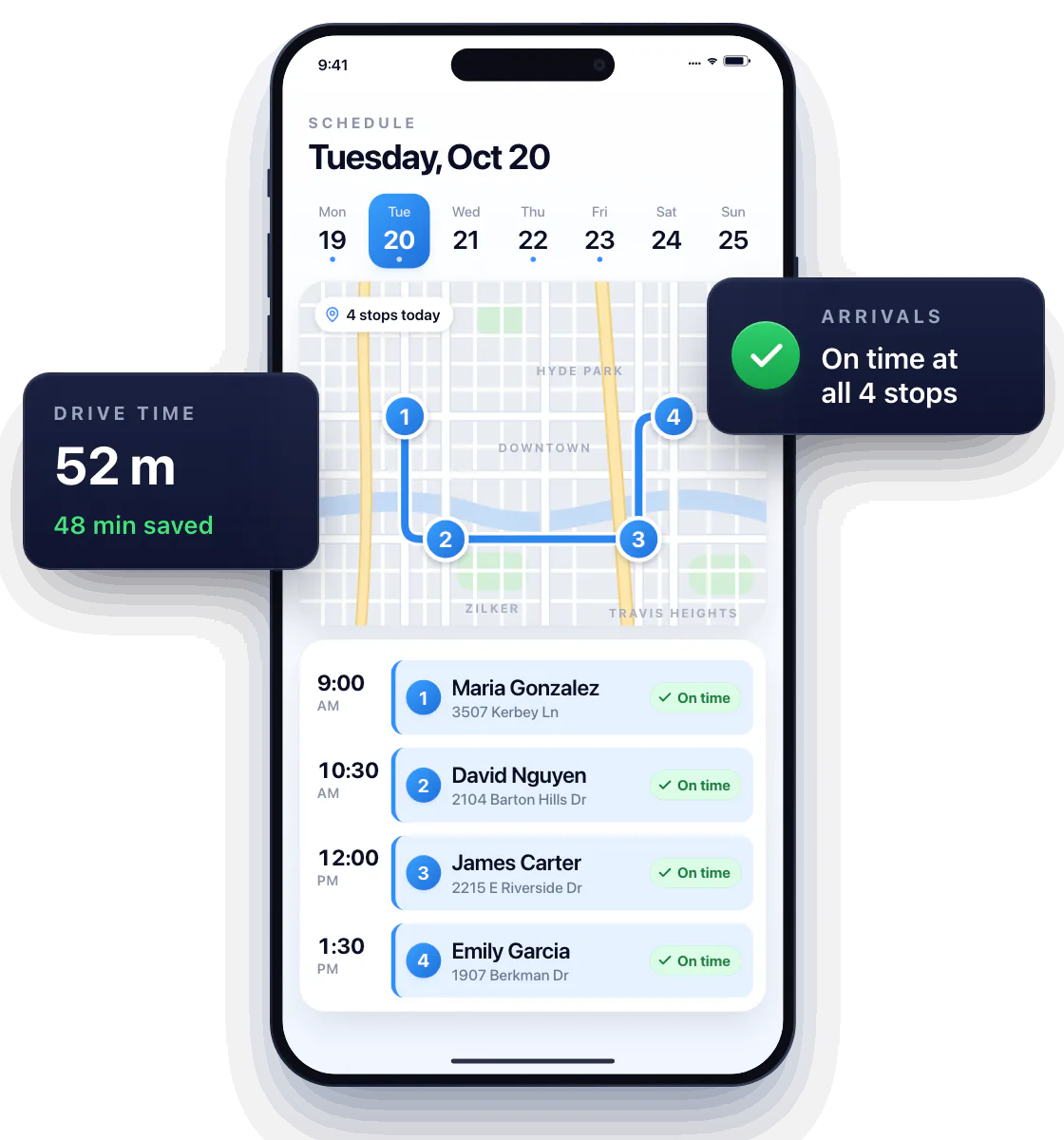
A Workly schedule with four appointments on the calendar and the same four stops on one map of Austin; Emily Garcia's job moves two slots later, the zigzag route becomes a short ordered route, drive time drops from 1 h 40 m to 52 m, and every stop shows On time

Know who to call today

Every estimate and job in one list, each with a status — sent, viewed, approved, in progress, done, paid. The customers who went quiet are right there, so you follow up before they hire someone else. Finished a job? Mark it done and move on.
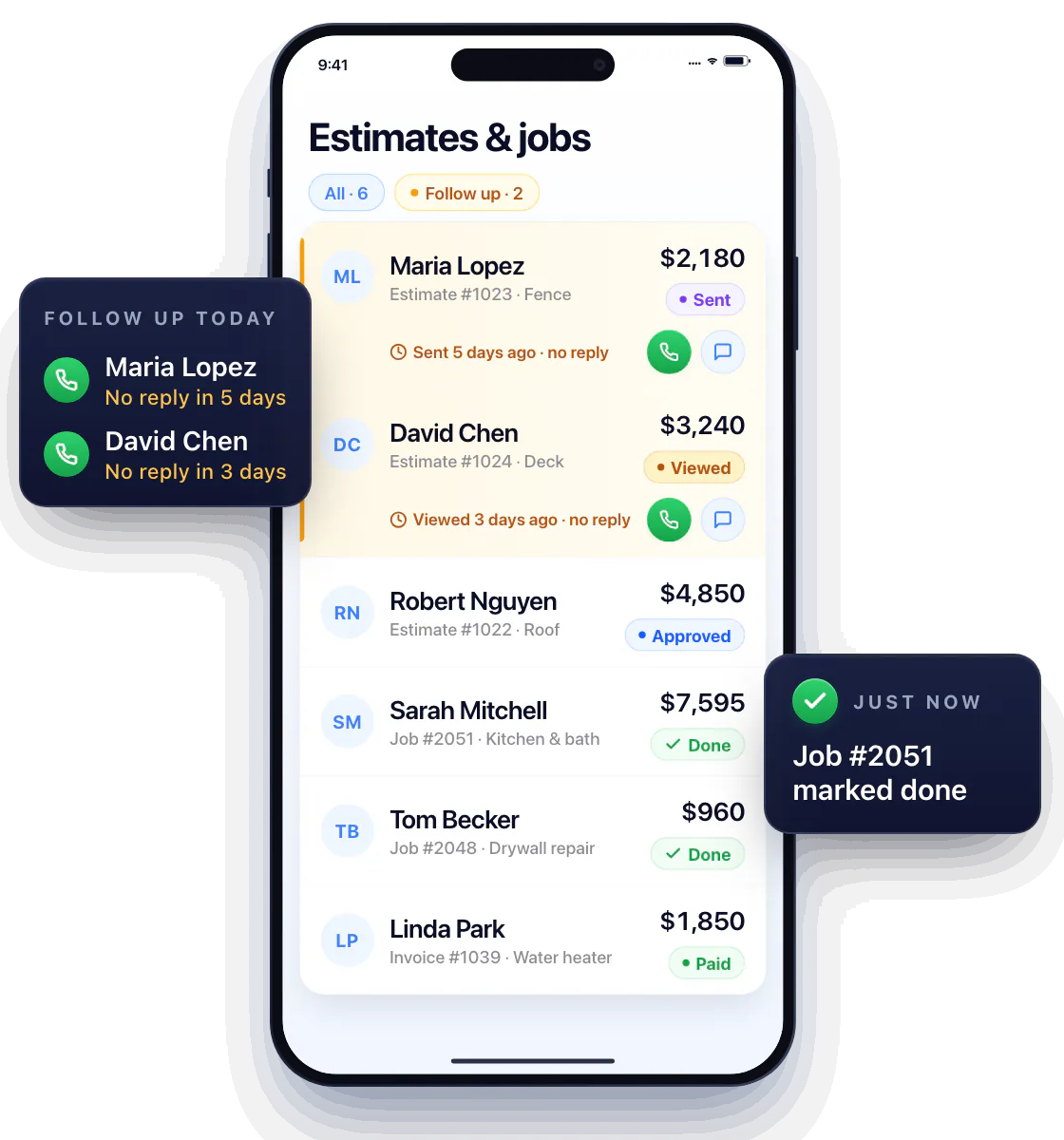
One Workly list of estimates and jobs, each with a status: Sent, Viewed, Approved, In progress, Done, Paid; two quiet customers are flagged with Call and Text buttons, and a tap marks Sarah Mitchell's in-progress job done

Reviews

Trusted by service pros who need fewer admin bottlenecks.

Mike Reyes from IronTap Plumbing

Workly keeps our estimates and invoices in one flow. We save time on every job and customers get cleaner paperwork right away.

5.0 rating Mike Reyes IronTap Plumbing
Carla Hayes from Crestpoint HVAC

The AI estimate suggestions help my team quote faster without missing line items. It feels built for busy field work, not office admin.

5.0 rating Carla Hayes Crestpoint HVAC
Daniel Torres from Voltura Electric

Scheduling, invoicing, and job notes all live in one app now. That alone has cut down a lot of back-and-forth for our small crew.

5.0 rating Daniel Torres Voltura Electric

Questions about Workly

Who is Workly for?

Workly is for solo handymen and independent service pros who handle the customer, the work, and the paperwork themselves.

Can I use it while I am out on jobs?

Yes. Workly is designed for mobile work, including preparing estimates, updating schedules, and sending invoices from your phone.

Where can I see the individual features?

Visit the product overview for estimates, invoicing, payments, scheduling, and the other tools in Workly.

Take care of the next job and its paperwork in the same app.

Get Workly for iPhone