
Customer Financing for Contractors
A $3,000 repair is an easier yes at $250 a month. When a customer pays a Workly invoice online, eligible jobs show a pay-over-time option through Stripe — and you’re paid in full up front; the financing provider handles the installments.

Itemize the job first, then offer the plan
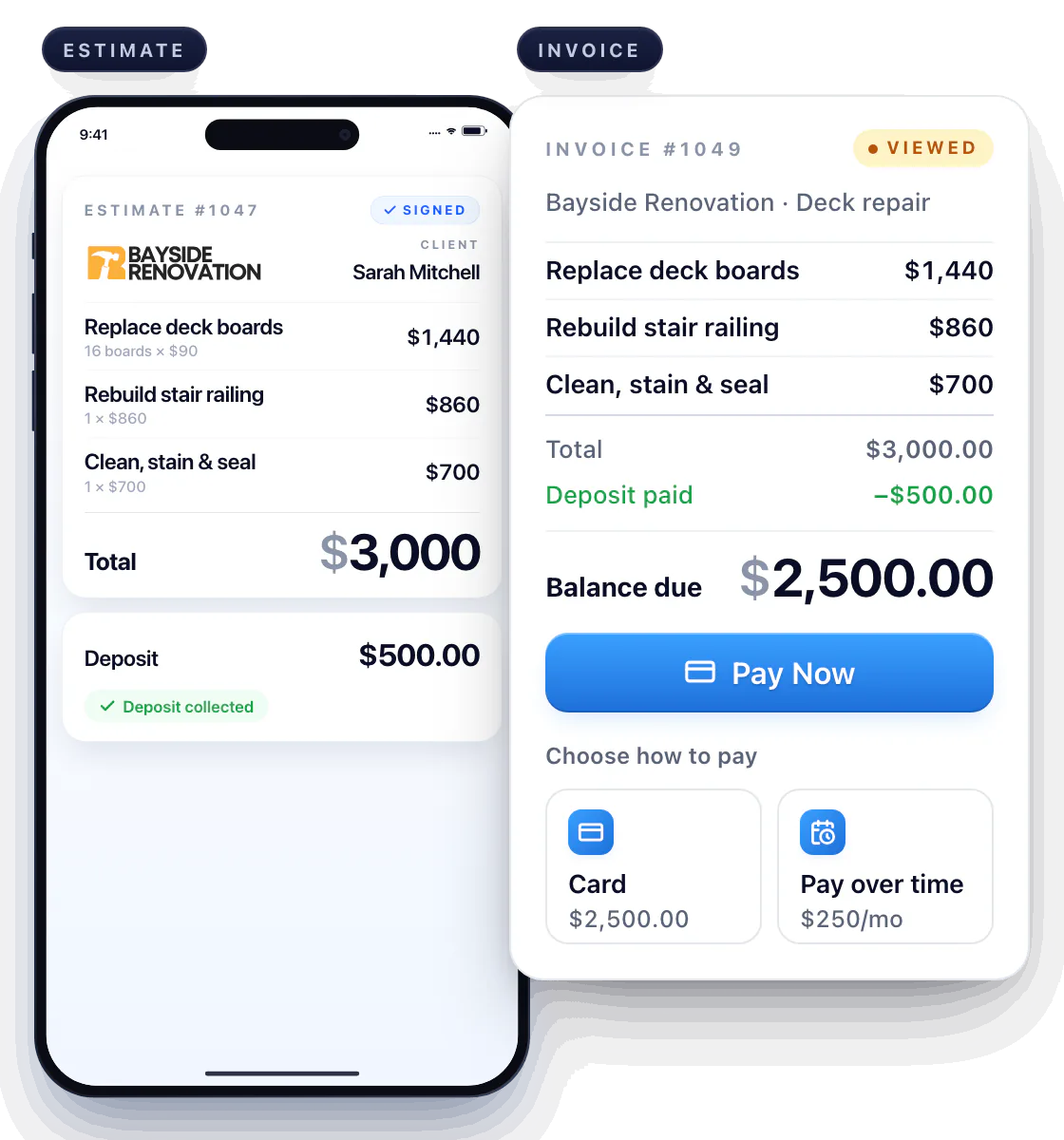
A customer weighing a bigger repair wants to know what the price covers. Send the itemized estimate, agree on any deposit, and let the financing option appear where it belongs — at checkout.
Review financing alongside the job cost
On the invoice, the customer taps Pay Now and sees card and financing side by side. The payment plan never muddies the scope.
Let the customer review the available terms
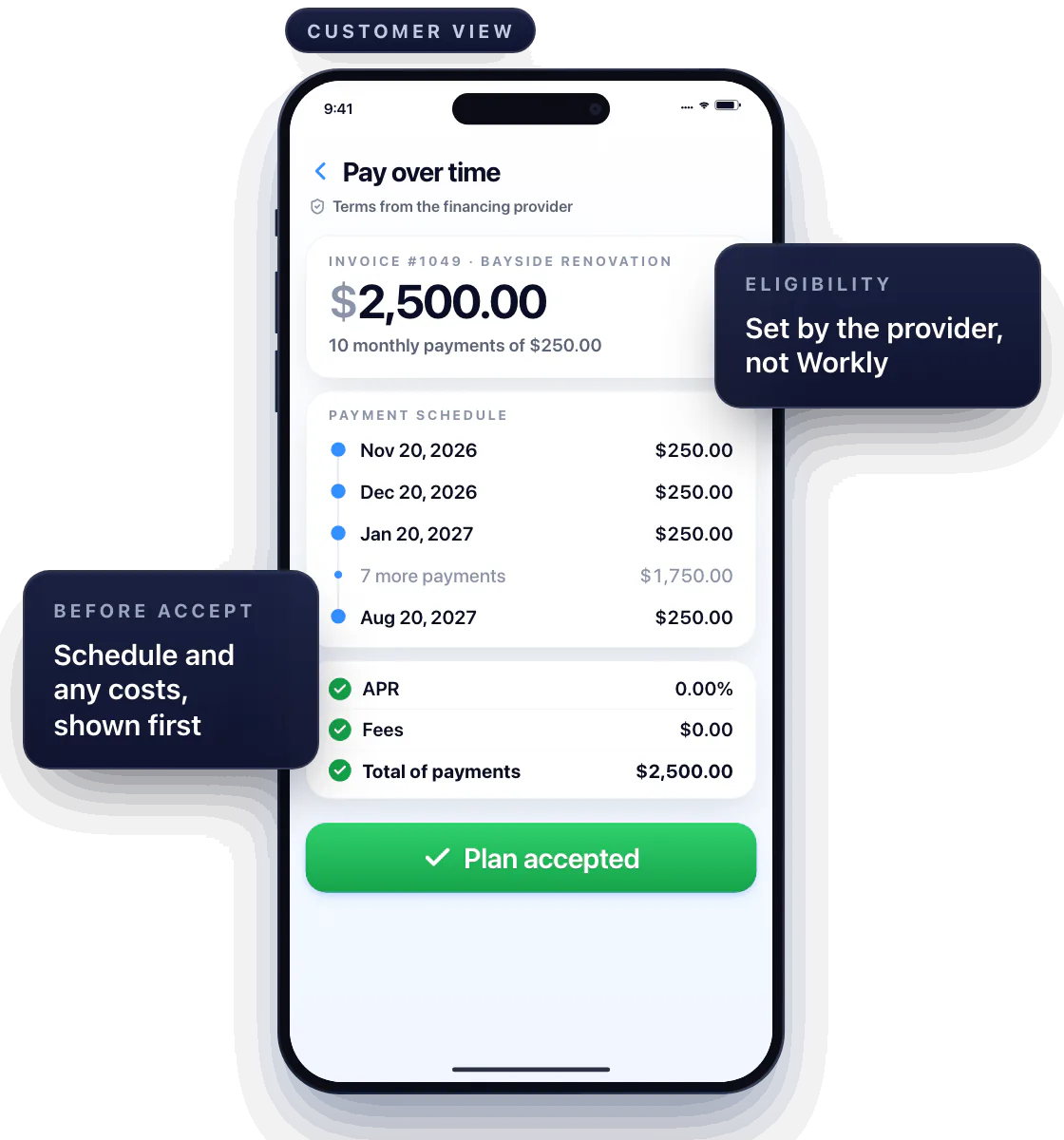
The financing provider shows the schedule and any costs before the customer accepts; nothing is hidden in your invoice.
Availability depends on the amount, the customer and the provider. Not every job or customer will qualify, and that decision isn’t Workly’s to make.
Keep financing distinct from a deposit
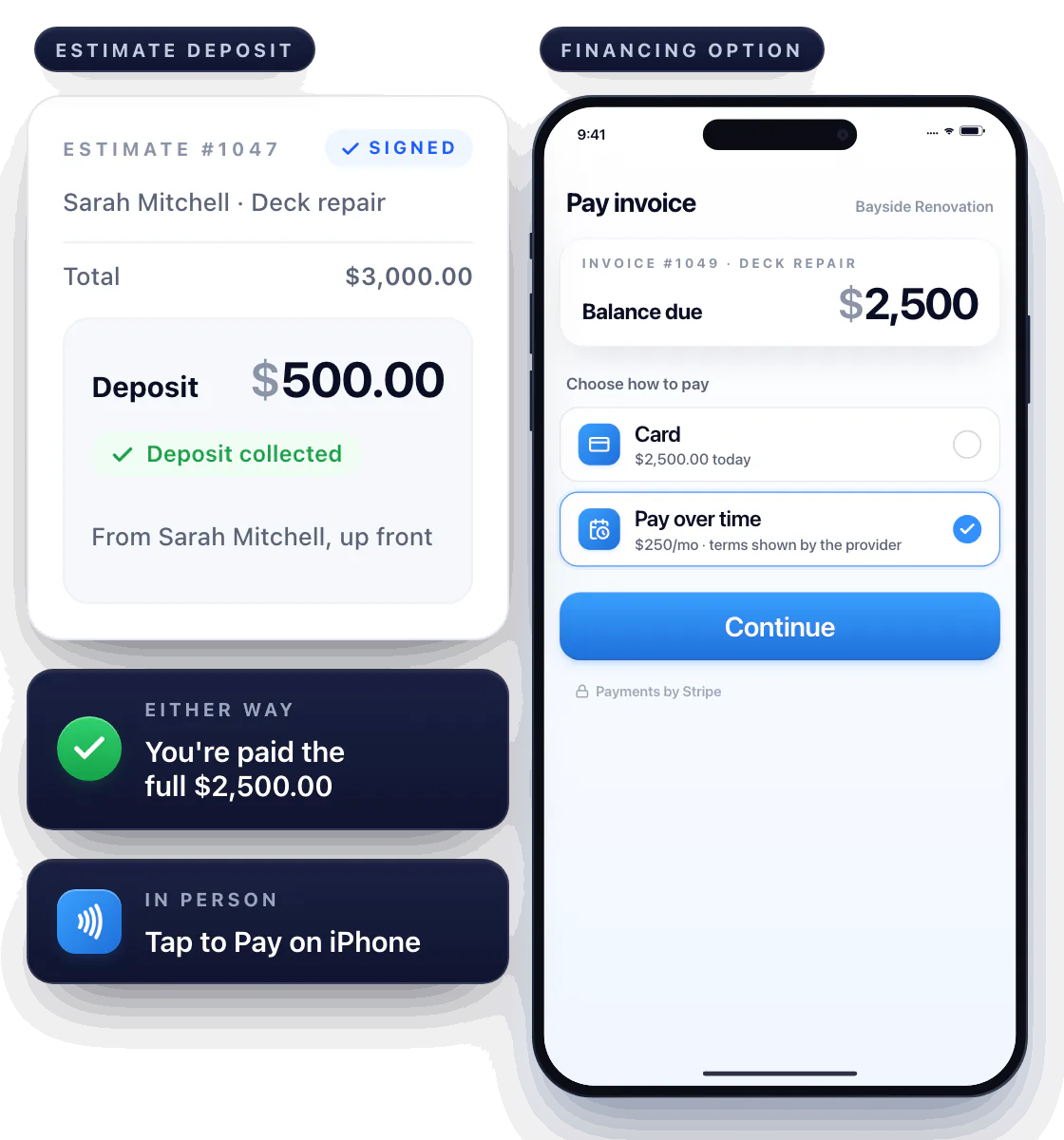
A deposit is money you collect up front from the customer. Financing is the customer’s arrangement with the provider — you’re paid the full invoice either way.
Offer financing as a separate option
If financing isn’t offered, or the customer prefers to pay outright, every other method is right there: Pay Now by card, or Tap to Pay on iPhone in person. See payments.
Questions about customer financing
How does Workly provide customer financing?
Through Stripe. When the customer pays an invoice online, eligible transactions show a pay-over-time option from Stripe’s financing partners. You’re paid in full; the provider collects the installments.
Is financing available to every customer?
No. Eligibility and terms are set by the provider for each transaction.
Where does the customer see the repayment terms?
In the financing flow, before accepting — the schedule and any costs are shown by the provider, not buried in your invoice.