
Contractor Payment Processing, Online and in Person
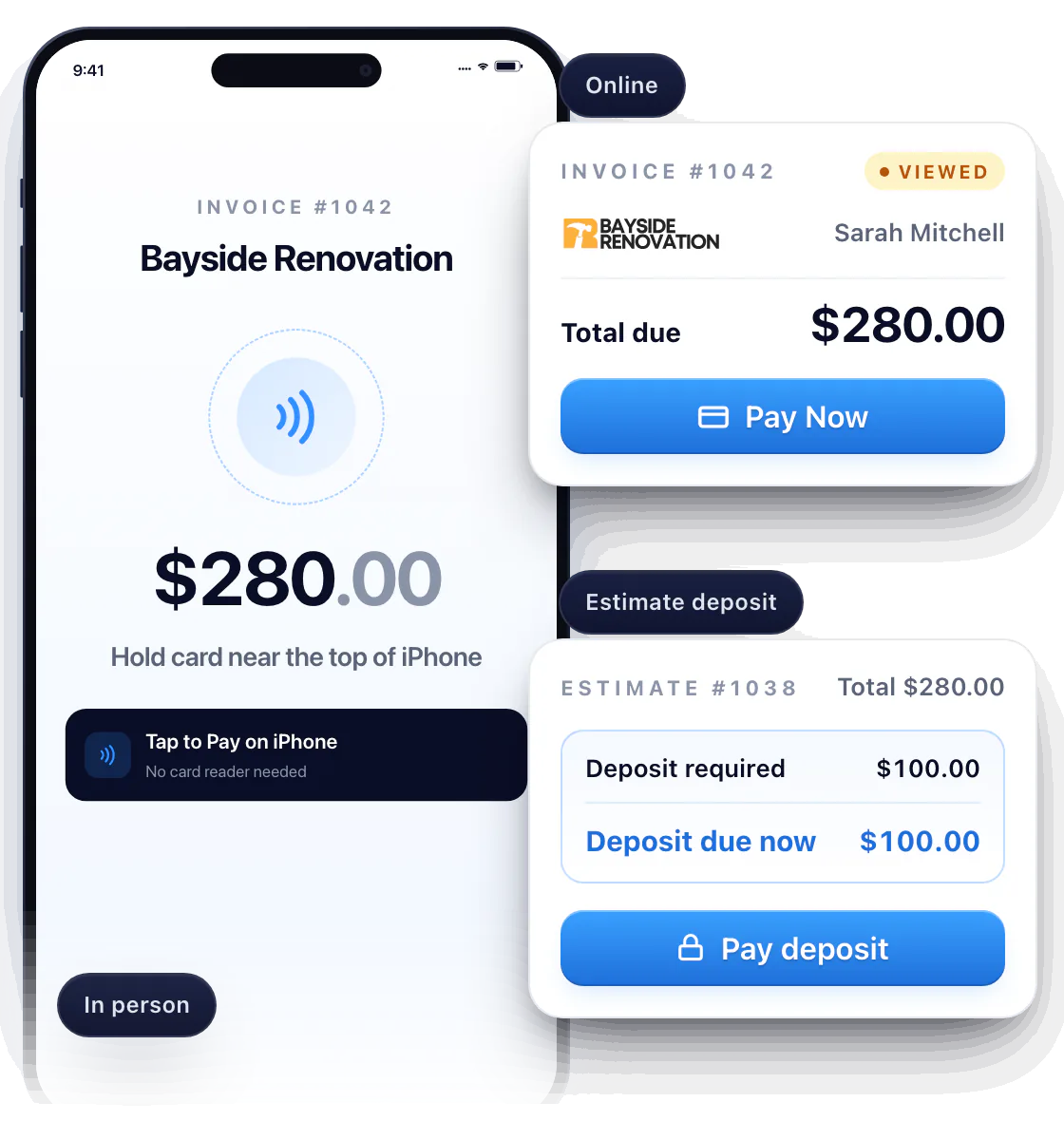
Get paid on the spot — or the moment they open the invoice. Take a card on your iPhone with no extra hardware, send a Pay Now link, or collect a deposit before you start. Payments run through Stripe.
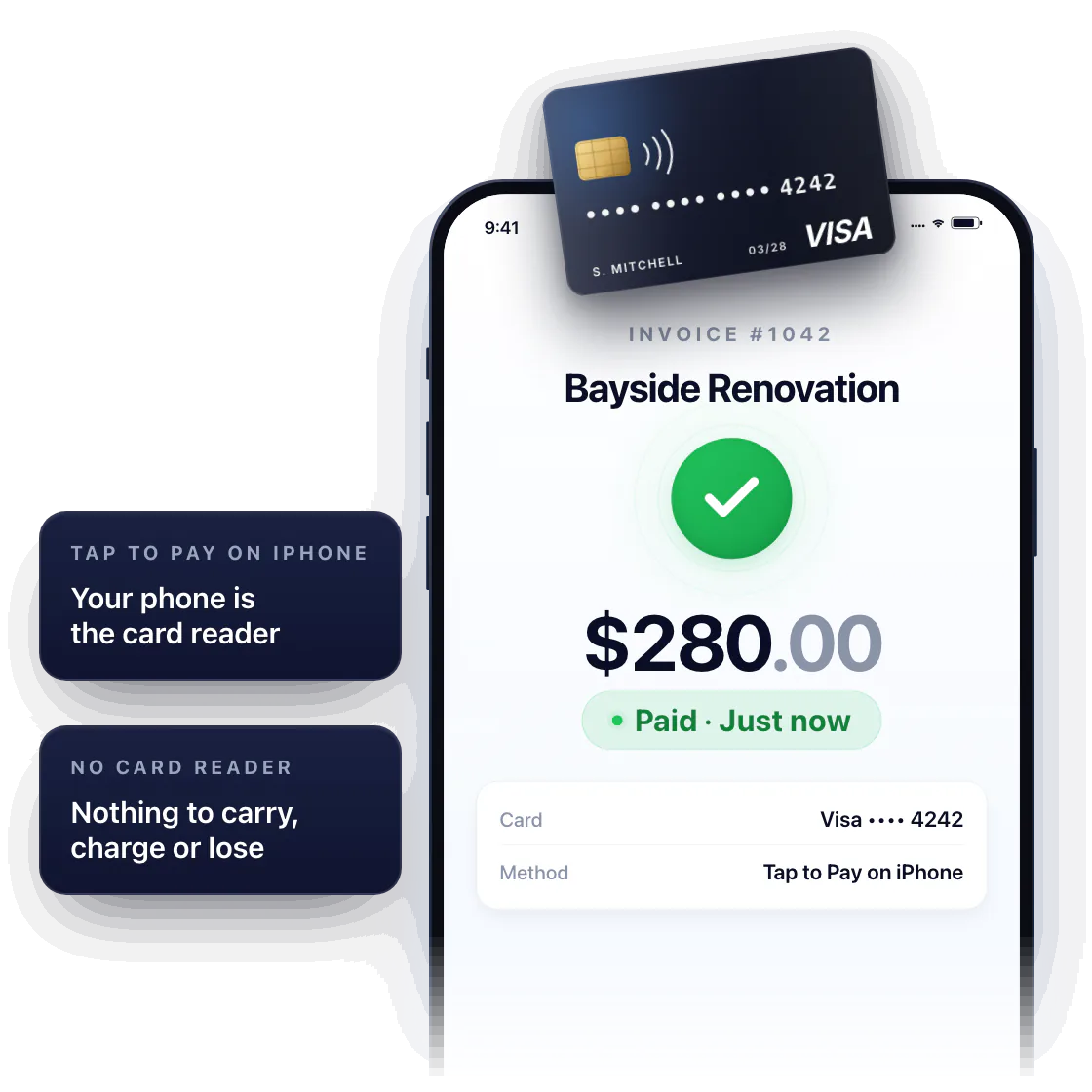
Tap to Pay on iPhone
Your phone is the card reader. The customer taps their contactless card or phone to your iPhone — paid before you leave the driveway.
No reader to carry, charge or lose. Tap to Pay on iPhone works on a compatible iPhone with supported contactless cards and digital wallets.
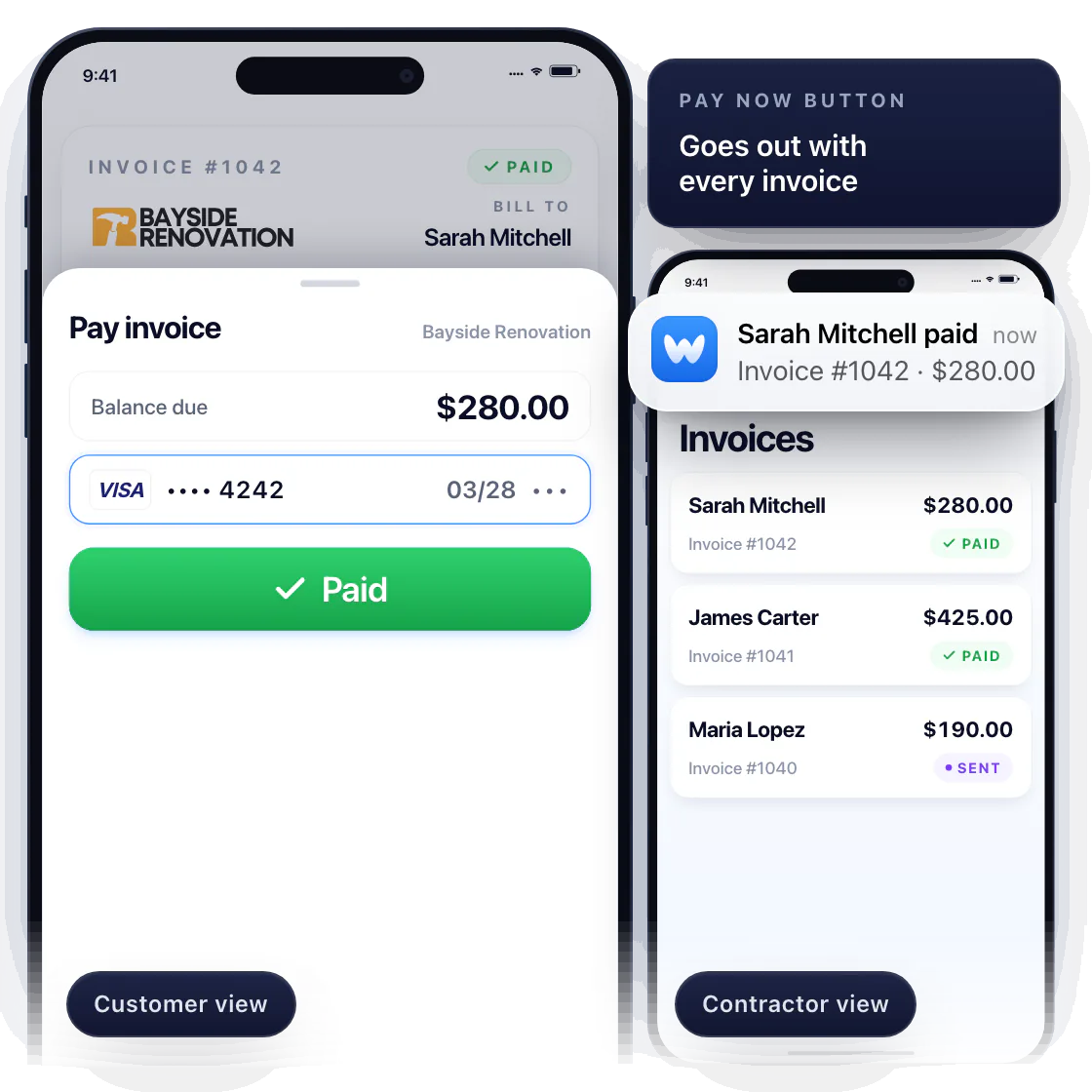
Pay Now on every invoice
Not standing together? Every invoice goes out with a Pay Now button. The customer pays by card from their phone in seconds, and you see it the second it lands.
Perfect for the property owner who’s out of town, or the bill you send after the visit.
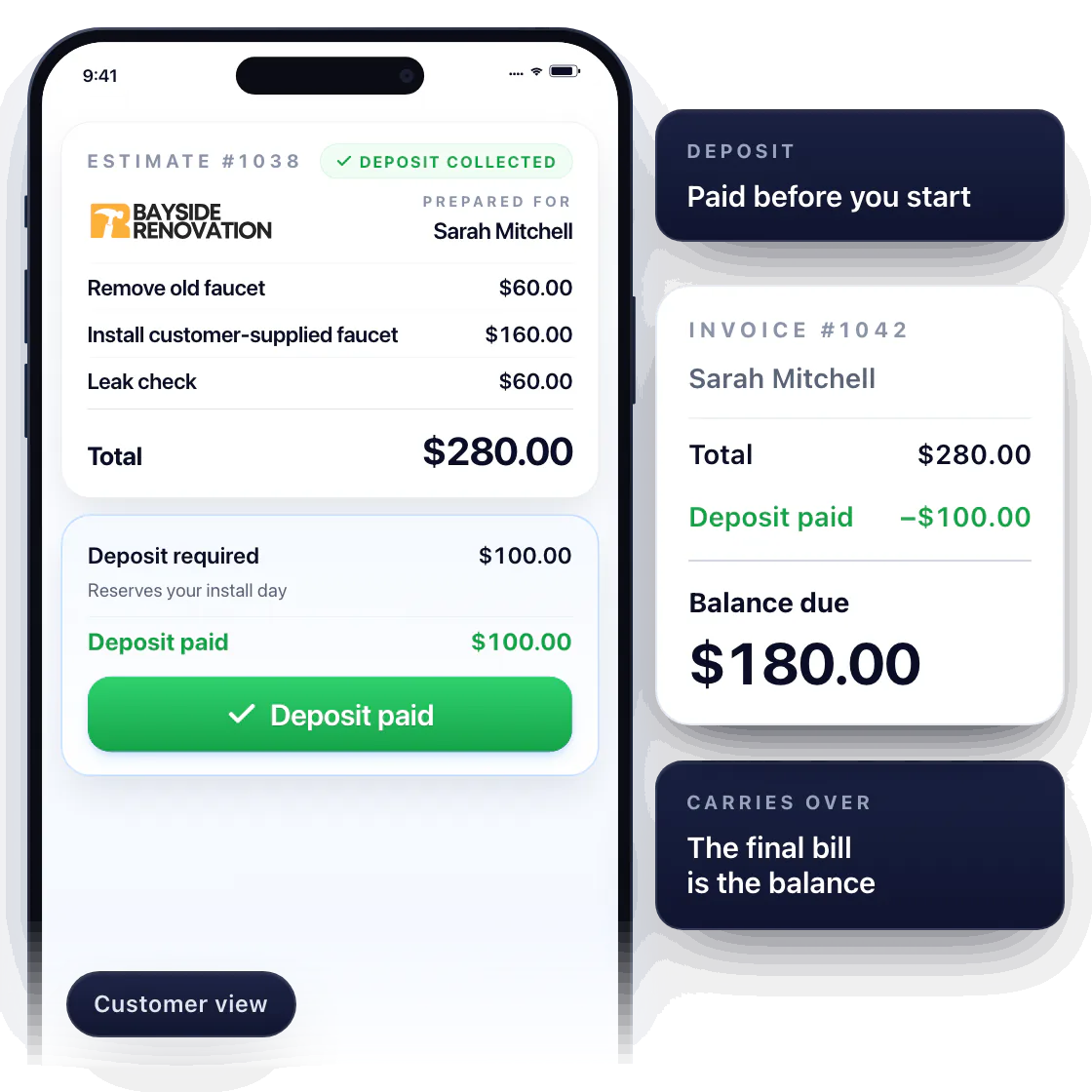
Collect a deposit before work begins
Materials to order, a day to block out? Request a deposit on the estimate. The customer sees exactly what it covers and pays it with the same link before you start — the estimate flips to Deposit collected.
The deposit carries over to the invoice, so the final bill is the balance — no math at the kitchen table.
Questions about taking payments
Can I accept card payments on my iPhone without a card reader?
Yes. With Tap to Pay on iPhone, the customer taps their card or phone to your compatible iPhone — no extra hardware.
Can I collect a deposit on an estimate?
Yes. Set the deposit on the estimate; the customer pays it when they sign, and it’s deducted from the invoice.
Are online and in-person payments both supported?
Yes. Pay Now links online, Tap to Pay on iPhone when you’re together — both through Stripe. Eligible customers may also see pay-over-time options; see customer financing.